

Reviewed by:
Matas Kibildis

Head of Growth @ aiclicks.io
Last updated:
Expert Verified


Free AI visibility audit
Most AI writers work the same way: type a keyword, get an article, hope it lands.
The article usually reads fine. But it also ranks nowhere, and ChatGPT never quotes it, because it was written blind: no research on what actually ranks for that keyword or no idea what AI engines actually ask about your space.
The AIclicks Writer 2.0 flips that order.
It researches first, shows you its plan, and only writes once you've approved it. Every section is built to be quoted by AI answers, and when the draft is done, you publish to WordPress, Webflow, or Shopify without leaving the tab.
Here's more about our AIclicks Writer 2.0.
How AIclicks Writer 2.0 Works
Here’s a quick walkthrough of how it works:
Step 1: Choose your topic
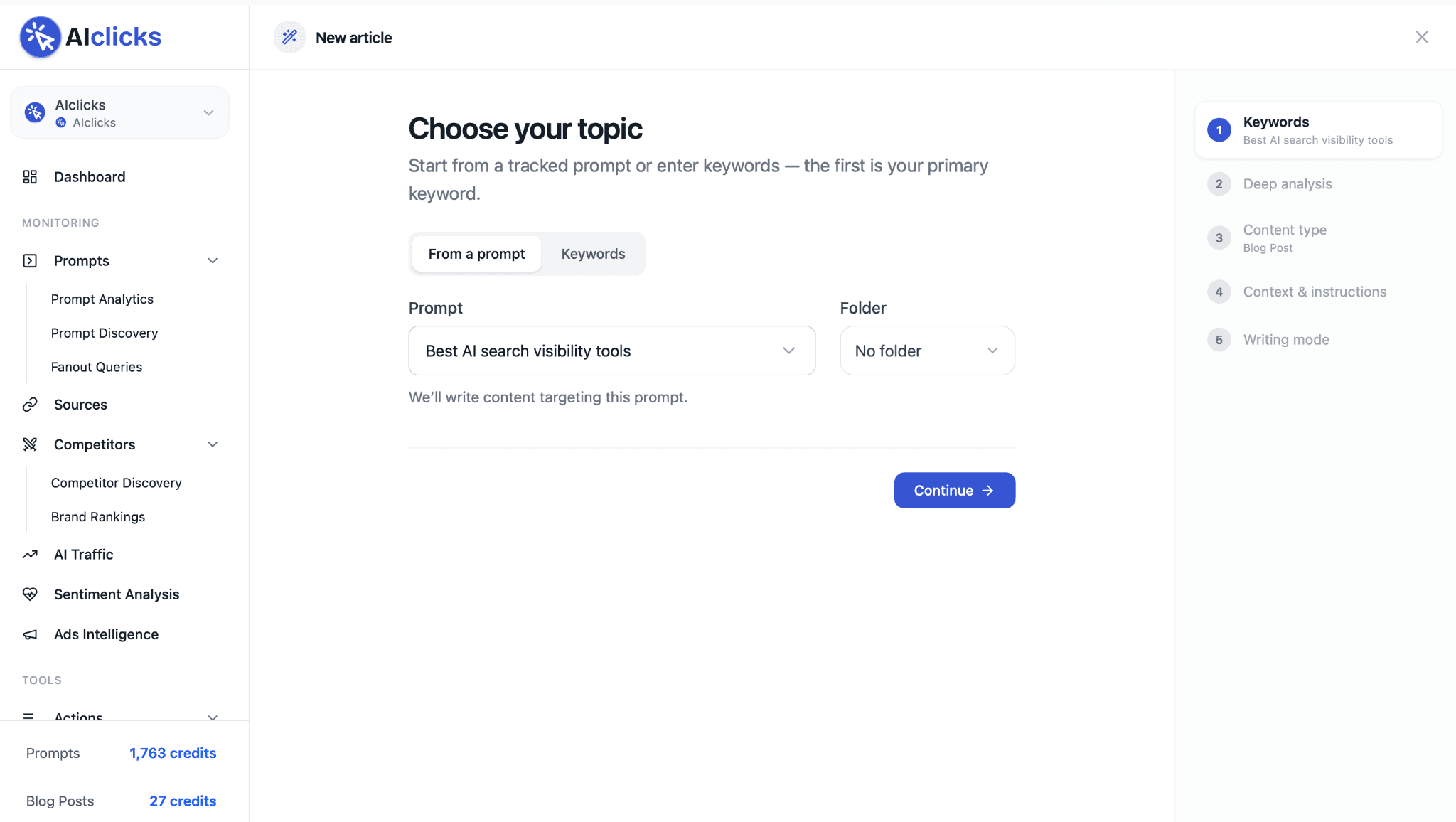
You can start the normal way: type your keywords, first one is your primary. But there's a second door no generic AI writer has.
You can also start from a tracked prompt.
Say AIclicks shows you're invisible for "best AI visibility tools." Pick that prompt from the dropdown and the AIclicks Writer 2.0 targets it directly. The gap and the fix, same product, same screen.
Step 2: It researches what actually ranks
Before writing anything, the tool runs a deep analysis on your topic.
It searches Google, pulls the top-ranking pages, crawls them one by one, and calculates content guidelines from what it finds. You watch every source come in, live on screen.
And you don't have to wait around: the analysis keeps running in the background while you move to the next step.

Step 3: Pick a format, or take the recommendation
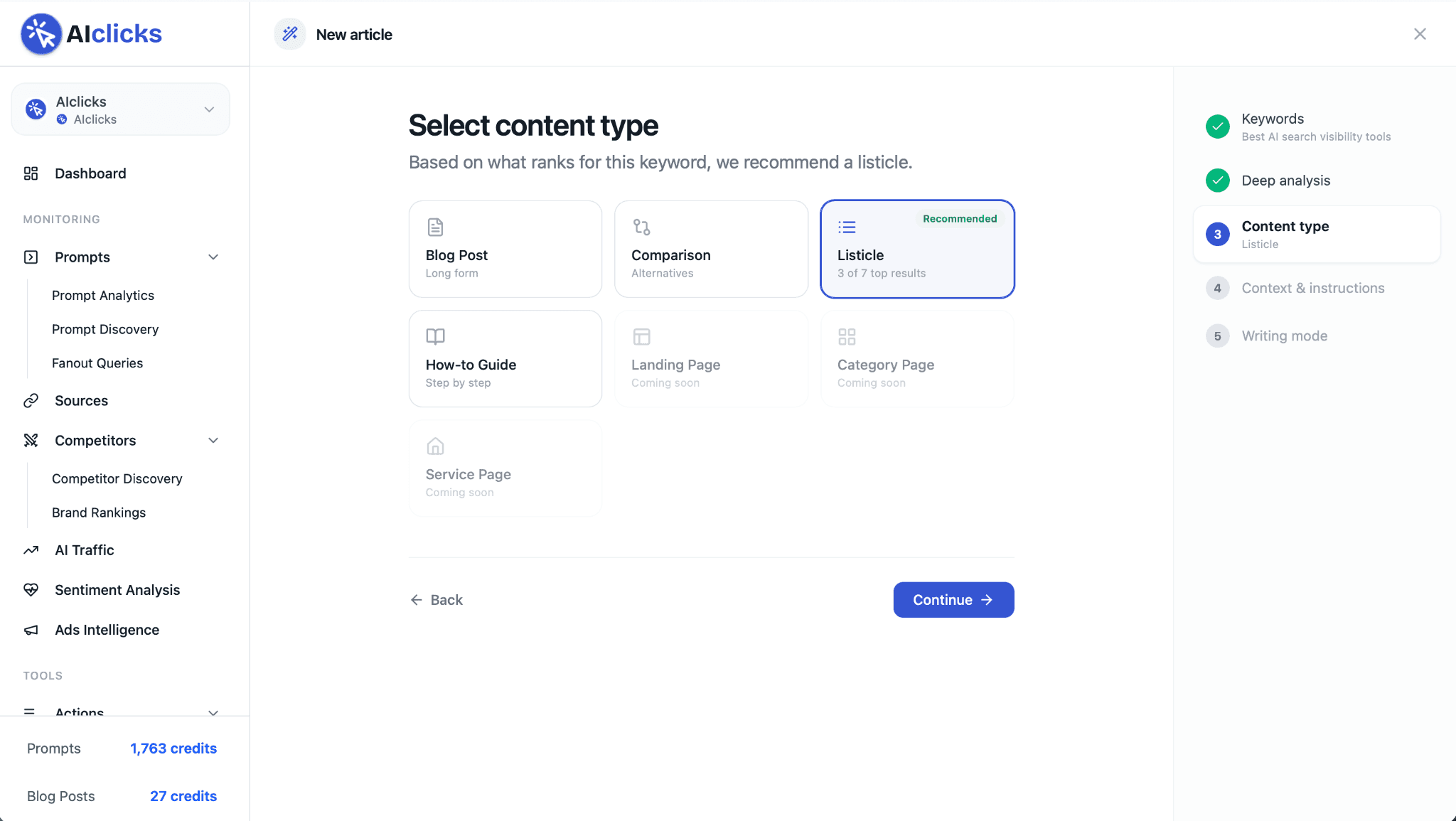
Blog Post, Comparison, Listicle, or How-to Guide. You can choose any of them, but the tool has already done the counting for you.
If 3 of the 7 top results for your keyword are listicles, it recommends a listicle. The recommendation comes straight from that count.
Step 4: Add your angle
The research is already loaded at this point: the ranking content it crawled, plus your Brand Knowledge (audience, products, brand voice, authors).
Two optional boxes let you steer further.
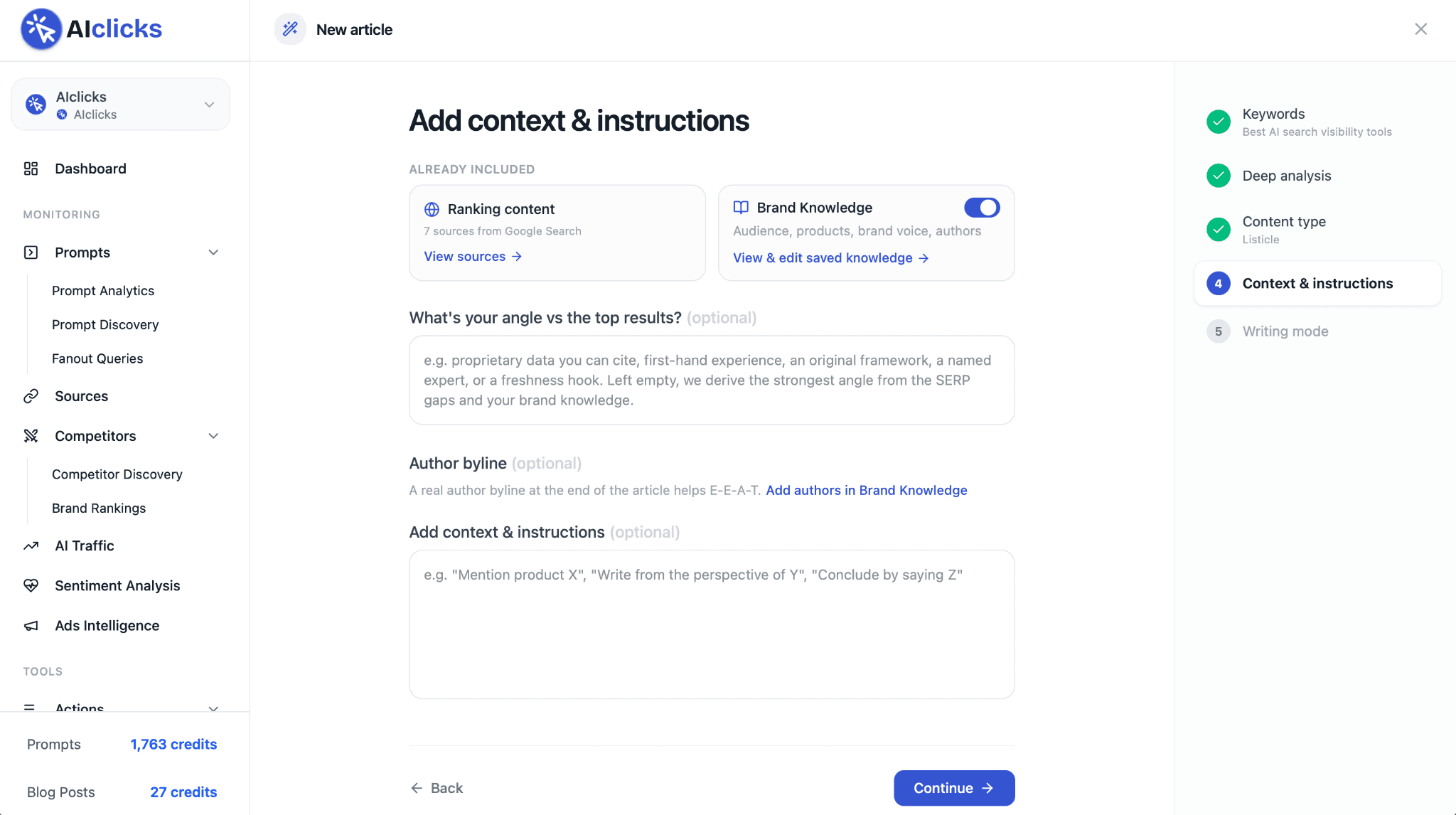
First, your angle vs the top results: proprietary data you can cite, first-hand experience, an original framework. Leave it empty and the tool derives the strongest angle from the SERP gaps and your brand knowledge.
Second, an author byline. Save your authors once in Brand Knowledge, pick one per article, and every piece ends with a real "Written by" credit, the E-E-A-T signal both Google and AI engines look for.
Step 5: Generate, and there you go
Finally, hit generate.
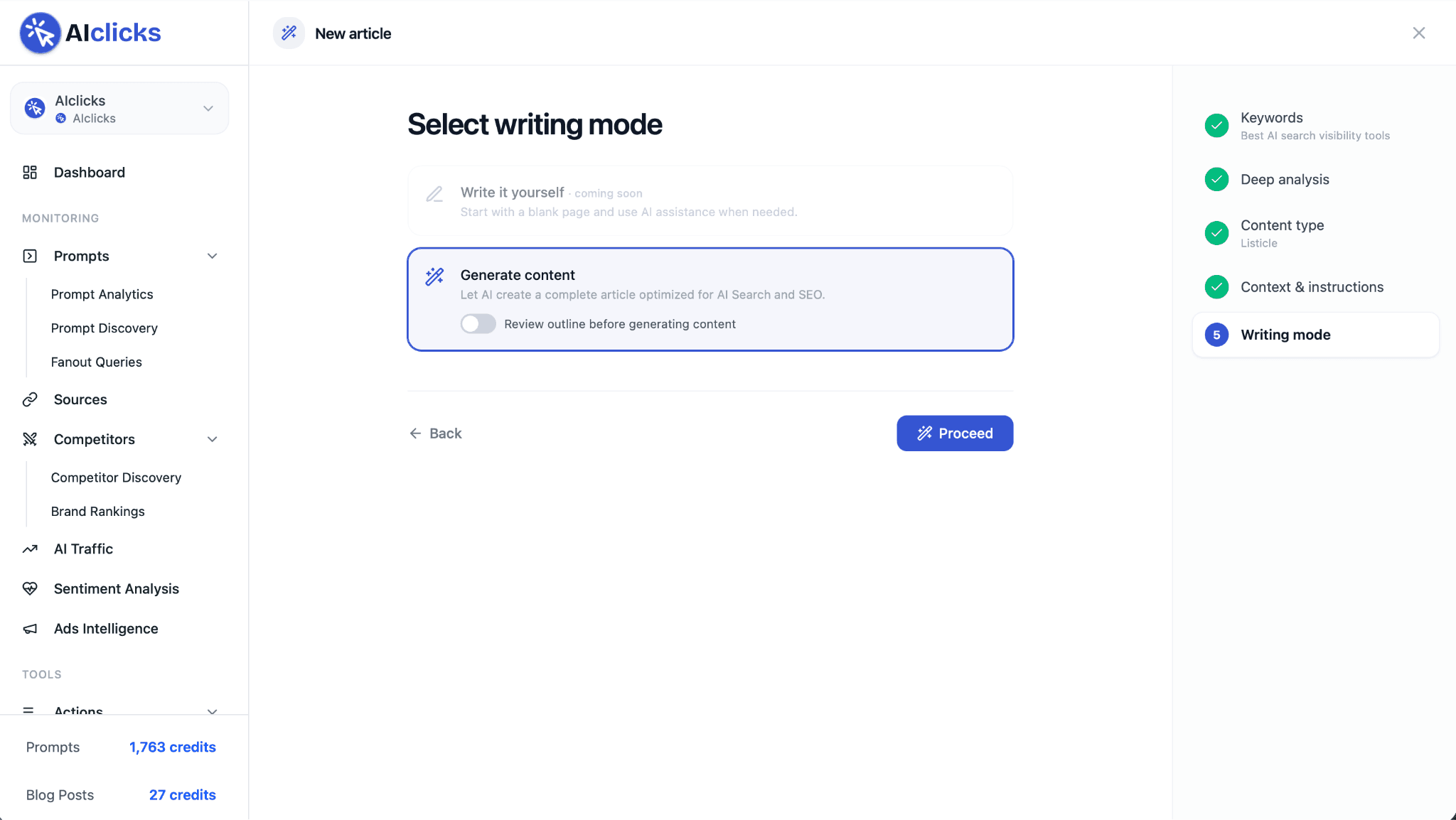
If you want a final checkpoint, flip on "Review outline before generating content" and the AIclicks Writer 2.0 drafts the structure first, waits for your approval, and writes only after you hit “Proceed”. Leave it off and it goes straight to the finished article.
Either way, you watch it work through its checklist: analyzing search results, reading top-ranking pages, extracting keywords, building the outline, gathering FAQs, writing content, adding takeaways and internal links, SEO metadata, selecting an image.
The whole run usually takes one to two minutes, and it keeps going if you close the tab. In-progress articles show as animated cards in your library, and drafts auto-save along the way.
And ta-da, there you go. 🎉
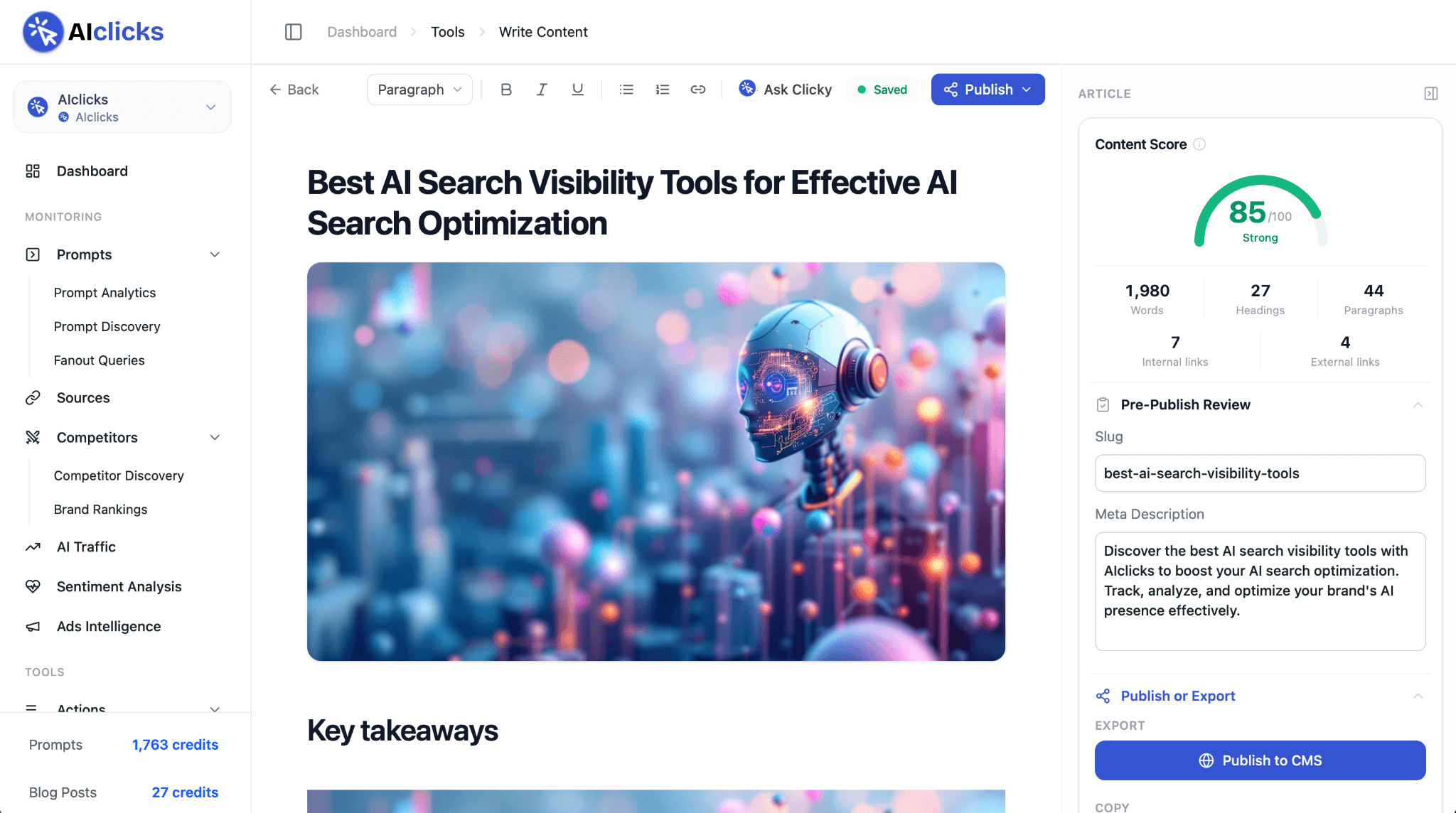
A finished article sitting in the editor: hero image in place, key takeaways up top, headings, internal links, even the slug and meta description already filled in under Pre-Publish Review.
Why not try it out yourself and see?
Go to the AIclicks Writer 2.0!
What comes out the other side
Every article follows the structure AI answers reward. Each section opens with a self-contained, quotable answer. Terms get defined early, and claims come with linked sources.
And here's the part nobody else can copy: the AIclicks Writer 2.0 draws on the AI queries we track for your brand, the real questions AI engines have asked about your space in the last 30 days. Your article answers what ChatGPT has already asked.
The draft lands with a hero image, key takeaways, and internal links pulled from your own sitemap. It also lands with a Content Score, measured against the live results for your keyword.
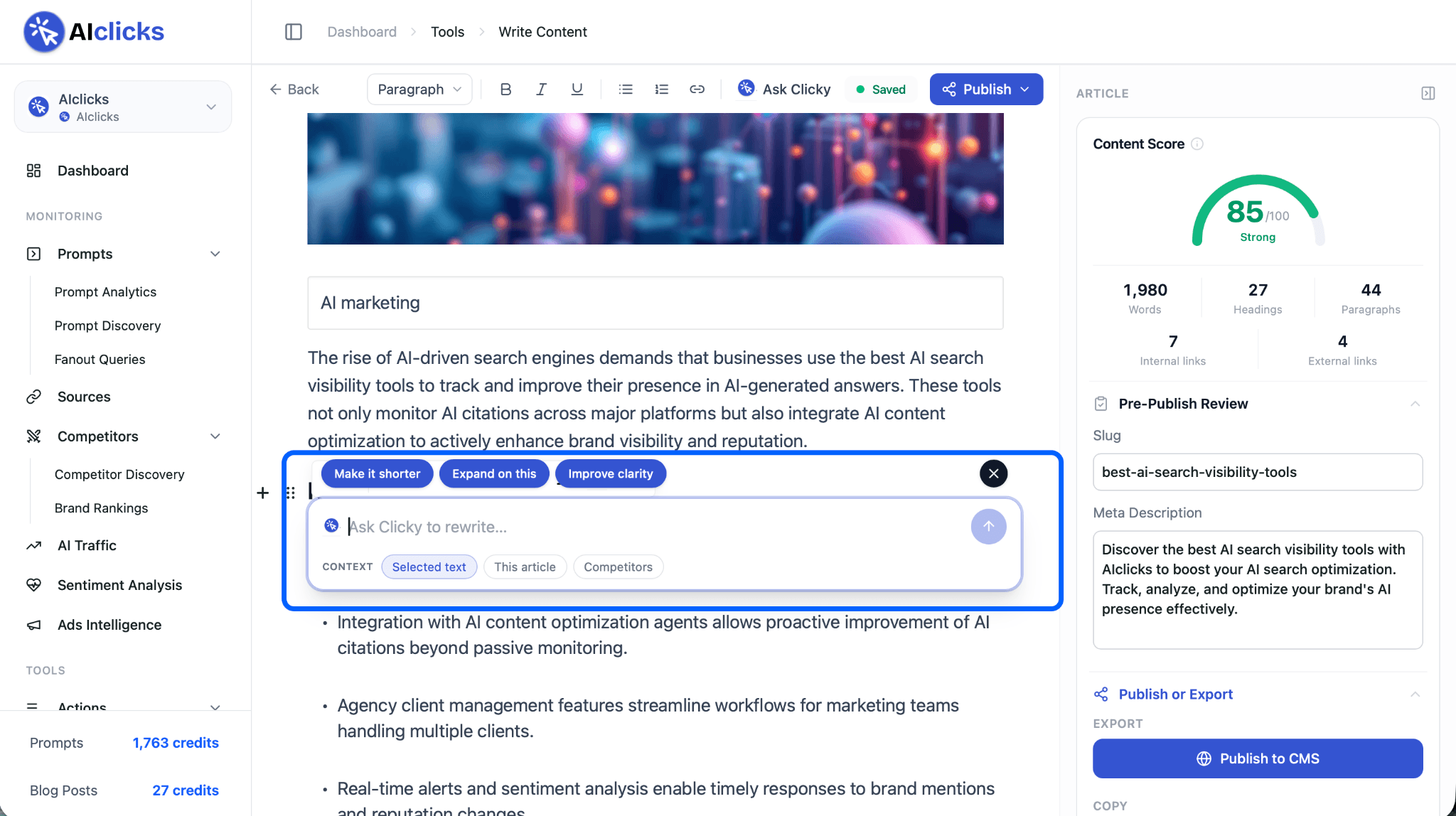
Edit, and the score moves. Passage feels off? Select it and say so: make it shorter, expand it, improve clarity, or type your own instruction. It rewrites in place.
Publish Without Leaving The App
Connect WordPress, Webflow, or Shopify once. After that, publishing is one click from the editor, and your library shows what's live and what's still a draft.
Find New Content Ideas
Everything so far assumes you arrive with a keyword or a prompt in hand.
Well, you don't have to.
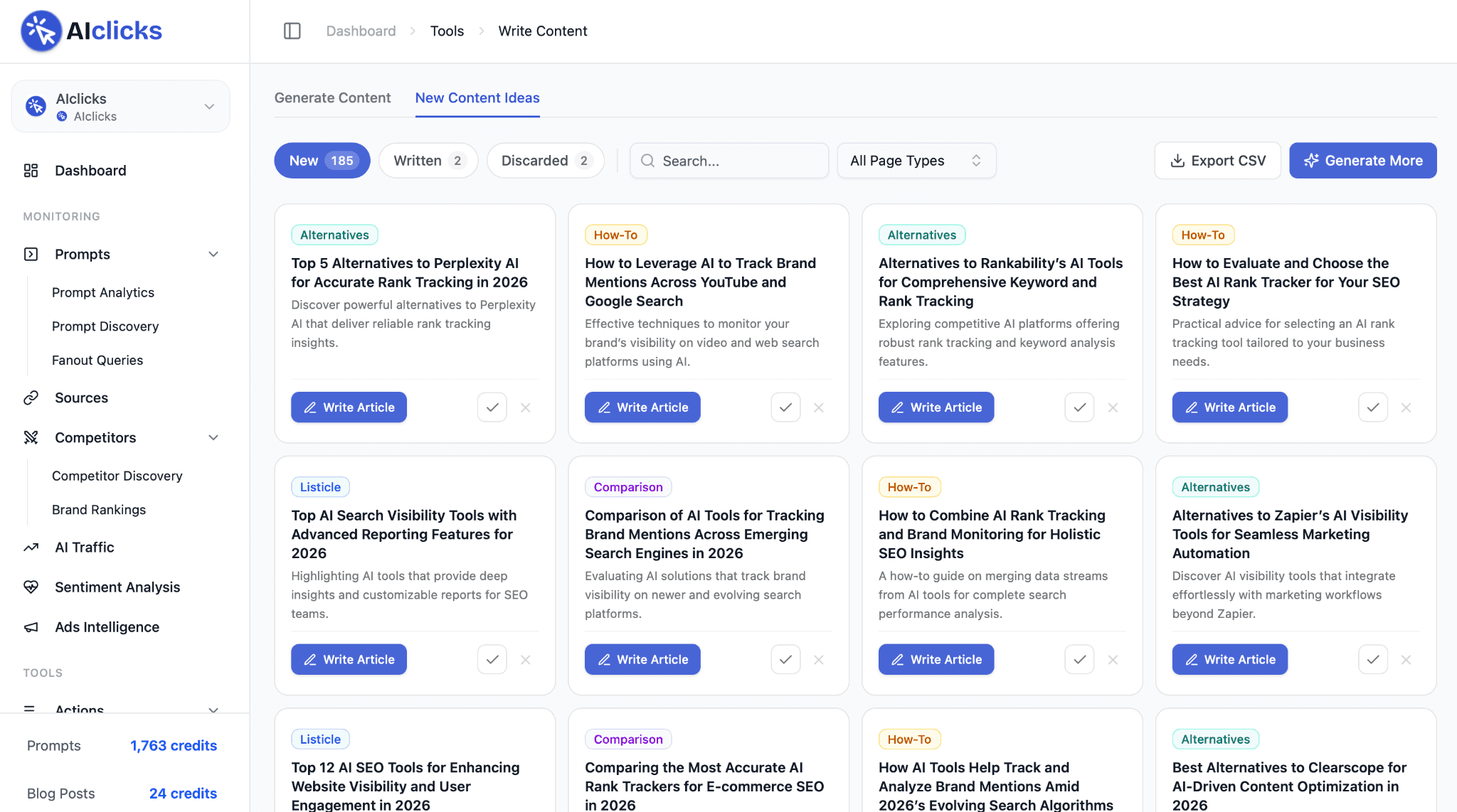
Next to Generate Content sits a second tab: New Content Ideas. It keeps a running list of article ideas generated for your space, each tagged by page type (Listicle, How-To, Comparison, Alternatives) and paired with a one-line angle, so you can judge it at a glance.
Our own workspace is sitting on 185 of them right now.
Skim the list, keep what fits, discard what misses, and hit Write Article on anything worth doing. That sends the idea straight into the same research flow you just read about, step one already filled in.
When you burn through the list, Generate More refills it, and there's an Export CSV button if you'd rather plan in a spreadsheet first.
Get Started
The AIclicks Writer 2.0 is live under Write Content.
Pick a keyword. Or better: pick a prompt you're currently losing, and watch the research come back before anything gets written.
The heavy lifting is automated, and the judgement stays with you.
Got a feature you want to see next? Send it our way on our feature request board. Enjoy!
Our Content:
Introducing Engage Online: Join the Conversations Your Buyers Are Already Having

Why AI Keeps Citing Third-Party Sources Instead of Your Website
Best AI Overviews Trackers in 2026

8 Best Scrunch AI Alternatives in 2026 (Tested and Compared)
Introducing AIclicks Writer 2.0: Write What AI Engines Actually Cite

How to Find and Choose Prompts to Track for AI Visibility
Any questions left?
Book a call here: