Free Robots.txt Checker & Tester
Free robots.txt tester and validator. Check if any URL is blocked by your robots.txt, test directives for Googlebot, Bingbot, and AI crawlers (GPTBot, ClaudeBot, Perplexity), and catch syntax errors before they break your indexing. Powered by Google's open-source parser. No signup.






What is a robots.txt checker?
A robots.txt checker is a free tool that fetches your site's robots.txt file and tells you exactly which pages each web crawler — Googlebot, Bingbot, GPTBot, ClaudeBot, Perplexity — is allowed or blocked from accessing. It uses the same parsing logic as the live crawlers, so the verdict matches production.
Unlike Google Search Console's deprecated tester, our robots.txt tester is built on the official Google open-source parsing library (RFC 9309 compliant). Paste a specific URL to see if it's blocked and by which rule — or paste a custom robots.txt to preview changes before publishing them live.
How to test your robots.txt file
Enter your domain (or a specific URL) in the checker above and click Check Robots.txt. In under a second, the tool (1) fetches your live robots.txt file from /robots.txt, (2) parses every User-agent block through Google's open-source robots.txt library, and (3) returns a clear verdict for each crawler: allowed, blocked, or affected by a conflicting rule. Syntax errors, invalid wildcards, unknown directives, and missing Sitemap: declarations are flagged inline. In 2026, this matters beyond Google: Amazon, the New York Times, and Reddit now explicitly block GPTBot, ClaudeBot, Perplexity-User, and OAI-SearchBot. If you have no opinion on AI access, your robots.txt is making that decision for you by default — so test it.
What is a robots.txt checker?
A robots.txt checker is a free tool that fetches your site's robots.txt file and tells you exactly which pages each web crawler — Googlebot, Bingbot, GPTBot, ClaudeBot, Perplexity — is allowed or blocked from accessing. It uses the same parsing logic as the live crawlers, so the verdict matches production.
Unlike Google Search Console's deprecated tester, our robots.txt tester is built on the official Google open-source parsing library (RFC 9309 compliant). Paste a specific URL to see if it's blocked and by which rule — or paste a custom robots.txt to preview changes before publishing them live.
How to test your robots.txt file
Enter your domain (or a specific URL) in the checker above and click Check Robots.txt. In under a second, the tool (1) fetches your live robots.txt file from /robots.txt, (2) parses every User-agent block through Google's open-source robots.txt library, and (3) returns a clear verdict for each crawler: allowed, blocked, or affected by a conflicting rule. Syntax errors, invalid wildcards, unknown directives, and missing Sitemap: declarations are flagged inline. In 2026, this matters beyond Google: Amazon, the New York Times, and Reddit now explicitly block GPTBot, ClaudeBot, Perplexity-User, and OAI-SearchBot. If you have no opinion on AI access, your robots.txt is making that decision for you by default — so test it.
Use cases for the robots.txt checker
Six ways SEO and technical teams use our free robots.txt checker — from catching accidental indexing blocks to deciding who can train on your content.
Use cases for the robots.txt checker
Six ways SEO and technical teams use our free robots.txt checker — from catching accidental indexing blocks to deciding who can train on your content.
Catch Unintentional Indexing Blocks
A single stray Disallow directive can wipe entire product categories, category pages, or blog posts from Google overnight. The checker flags rules blocking business-critical paths so you find them before indexing drops show up in GSC.
Catch Unintentional Indexing Blocks
A single stray Disallow directive can wipe entire product categories, category pages, or blog posts from Google overnight. The checker flags rules blocking business-critical paths so you find them before indexing drops show up in GSC.
Audit AI Crawler Access
Decide whether to let GPTBot, ClaudeBot, Perplexity-User, and OAI-SearchBot train on and cite your content. See exactly which AI bots your current robots.txt lets in or keeps out — a 2026 decision Amazon, NYT, and Reddit have already made.
Audit AI Crawler Access
Decide whether to let GPTBot, ClaudeBot, Perplexity-User, and OAI-SearchBot train on and cite your content. See exactly which AI bots your current robots.txt lets in or keeps out — a 2026 decision Amazon, NYT, and Reddit have already made.
Validate Before You Publish
Test changes to your robots.txt using the same Google open-source parser Googlebot uses. Catch invalid wildcards, conflicting Allow/Disallow rules, and unknown directives before pushing them live and breaking crawl access.
Validate Before You Publish
Test changes to your robots.txt using the same Google open-source parser Googlebot uses. Catch invalid wildcards, conflicting Allow/Disallow rules, and unknown directives before pushing them live and breaking crawl access.
Test Per-Bot Rules
Check exactly how Googlebot, Googlebot-Image, Bingbot, or any AI crawler interprets your file — including fallback behavior when no specific User-agent block matches. The same parser logic Google uses internally, exposed for you to inspect.
Test Per-Bot Rules
Check exactly how Googlebot, Googlebot-Image, Bingbot, or any AI crawler interprets your file — including fallback behavior when no specific User-agent block matches. The same parser logic Google uses internally, exposed for you to inspect.
Verify Sitemap Declaration
Confirm your Sitemap: directive points to the right absolute URL, isn't blocked by another rule, and is actually reachable. A missing or broken sitemap line is the most common robots.txt mistake we see in technical audits.
Verify Sitemap Declaration
Confirm your Sitemap: directive points to the right absolute URL, isn't blocked by another rule, and is actually reachable. A missing or broken sitemap line is the most common robots.txt mistake we see in technical audits.
Test if a Specific URL Is Blocked
Paste any URL from your site and immediately see whether Googlebot (or any other crawler) is allowed to access it — and if it's blocked, which exact rule is responsible. Perfect for debugging "blocked by robots.txt" errors in Search Console without trial and error.
Test if a Specific URL Is Blocked
Paste any URL from your site and immediately see whether Googlebot (or any other crawler) is allowed to access it — and if it's blocked, which exact rule is responsible. Perfect for debugging "blocked by robots.txt" errors in Search Console without trial and error.
SERP & Rankings
Technical SEO
AI Writing & Content
Keyword Research
AI Visibility
Backlinks & Off-Page
How AIclicks works
How AIclicks works

01

Brand Audit
We start by mapping your current AI visibility, analyzing how often you appear in LLM answers. This gives us a precise roadmap of what needs to be fixed, improved, or created.
01
Brand Audit
We start by mapping your current AI visibility, analyzing how often you appear in LLM answers. This gives us a precise roadmap of what needs to be fixed, improved, or created.
02
AI-Optimized Content
We produce content crafted specifically for AI models. We reinforce this with citation-worthy sources and high-authority mentions that help AI systems trust and reference your brand.
02
AI-Optimized Content
We produce content crafted specifically for AI models. We reinforce this with citation-worthy sources and high-authority mentions that help AI systems trust and reference your brand.
03
Optimization, Tracking & Insights
You get access to a custom AI visibility dashboard, weekly progress updates, and continuous optimization cycles. We monitor ranking shifts, citation changes, competitors, and new AI opportunities.
03
Optimization, Tracking & Insights
You get access to a custom AI visibility dashboard, weekly progress updates, and continuous optimization cycles. We monitor ranking shifts, citation changes, competitors, and new AI opportunities.
Explore our blog
Explore our blog





FAQ
How do I check if my robots.txt file is working correctly?
Paste your domain into the checker above and run it. The tool fetches your live robots.txt, validates every User-agent block using the official Google open-source parser (RFC 9309 compliant), and tells you exactly which paths are allowed or blocked for Googlebot, Bingbot, and AI crawlers like GPTBot. It flags syntax errors, invalid wildcards, and missing sitemap declarations before they affect indexing.
What's the difference between robots.txt and noindex?
Robots.txt controls crawling — whether a bot can access a URL. Noindex controls indexing — whether a crawled page appears in search results. They solve different problems: if you block a page in robots.txt, Google can't crawl it, which means it can't see a noindex tag either. Pages blocked by robots.txt can still get indexed if other sites link to them. For pages you want hidden from search, use noindex; for crawl-budget control, use robots.txt.
Should I block AI crawlers like GPTBot and ClaudeBot?
It depends on your content strategy. Amazon, the New York Times, and Reddit explicitly block GPTBot, ClaudeBot, Perplexity-User, and OAI-SearchBot to keep their content out of training data and AI answers. But blocking AI bots also reduces the chance your brand gets cited in AI-generated responses — a growing traffic channel. For most B2B and SaaS brands, allowing these bots helps with AI visibility; for publishers and premium-content sites, blocking them protects licensing revenue.
Where do I find my robots.txt file?
Your robots.txt file lives in the root directory of your domain — always at https://yourdomain.com/robots.txt. Type that URL into any browser to view it. If nothing loads (404 error), your site doesn't have one yet, which means all crawlers are allowed everywhere by default. For WordPress, robots.txt is usually auto-generated virtually; for Shopify, it's editable via robots.txt.liquid; for static sites, place a plain-text robots.txt file in your public folder.
How do I fix a page blocked by robots.txt?
Three steps: (1) Run your URL through the checker above to identify the exact Disallow rule that's blocking it. (2) Edit your robots.txt to either remove that rule, scope it more narrowly (e.g., Disallow: /private/ instead of Disallow: /), or add an Allow: directive that overrides it for the specific path. (3) Save and re-upload the file, then use Google Search Console's URL Inspection tool to request reindexing. The most common mistakes we see in audits: leftover Disallow: / from staging environments, blocking JavaScript or CSS files that break page rendering, and missing Sitemap: declarations. The checker above catches all of these automatically.
What does 'Disallow: /' mean — and when should I use it?
Disallow: / under User-agent: * blocks every crawler from accessing any path on your site. This is the most destructive directive in robots.txt — use it only on staging environments, private development servers, or when you genuinely want to disappear from search engines. The most common production bug we see: someone copies the file from staging to production and forgets to remove the Disallow: / line. To block only specific sections, scope the rule narrowly, e.g. Disallow: /admin/ or Disallow: /cart. Run the checker above on your live site to confirm you're not accidentally blocking everything.
FAQ
How do I check if my robots.txt file is working correctly?
Paste your domain into the checker above and run it. The tool fetches your live robots.txt, validates every User-agent block using the official Google open-source parser (RFC 9309 compliant), and tells you exactly which paths are allowed or blocked for Googlebot, Bingbot, and AI crawlers like GPTBot. It flags syntax errors, invalid wildcards, and missing sitemap declarations before they affect indexing.
What's the difference between robots.txt and noindex?
Robots.txt controls crawling — whether a bot can access a URL. Noindex controls indexing — whether a crawled page appears in search results. They solve different problems: if you block a page in robots.txt, Google can't crawl it, which means it can't see a noindex tag either. Pages blocked by robots.txt can still get indexed if other sites link to them. For pages you want hidden from search, use noindex; for crawl-budget control, use robots.txt.
Should I block AI crawlers like GPTBot and ClaudeBot?
It depends on your content strategy. Amazon, the New York Times, and Reddit explicitly block GPTBot, ClaudeBot, Perplexity-User, and OAI-SearchBot to keep their content out of training data and AI answers. But blocking AI bots also reduces the chance your brand gets cited in AI-generated responses — a growing traffic channel. For most B2B and SaaS brands, allowing these bots helps with AI visibility; for publishers and premium-content sites, blocking them protects licensing revenue.
Where do I find my robots.txt file?
Your robots.txt file lives in the root directory of your domain — always at https://yourdomain.com/robots.txt. Type that URL into any browser to view it. If nothing loads (404 error), your site doesn't have one yet, which means all crawlers are allowed everywhere by default. For WordPress, robots.txt is usually auto-generated virtually; for Shopify, it's editable via robots.txt.liquid; for static sites, place a plain-text robots.txt file in your public folder.
How do I fix a page blocked by robots.txt?
Three steps: (1) Run your URL through the checker above to identify the exact Disallow rule that's blocking it. (2) Edit your robots.txt to either remove that rule, scope it more narrowly (e.g., Disallow: /private/ instead of Disallow: /), or add an Allow: directive that overrides it for the specific path. (3) Save and re-upload the file, then use Google Search Console's URL Inspection tool to request reindexing. The most common mistakes we see in audits: leftover Disallow: / from staging environments, blocking JavaScript or CSS files that break page rendering, and missing Sitemap: declarations. The checker above catches all of these automatically.
What does 'Disallow: /' mean — and when should I use it?
Disallow: / under User-agent: * blocks every crawler from accessing any path on your site. This is the most destructive directive in robots.txt — use it only on staging environments, private development servers, or when you genuinely want to disappear from search engines. The most common production bug we see: someone copies the file from staging to production and forgets to remove the Disallow: / line. To block only specific sections, scope the rule narrowly, e.g. Disallow: /admin/ or Disallow: /cart. Run the checker above on your live site to confirm you're not accidentally blocking everything.
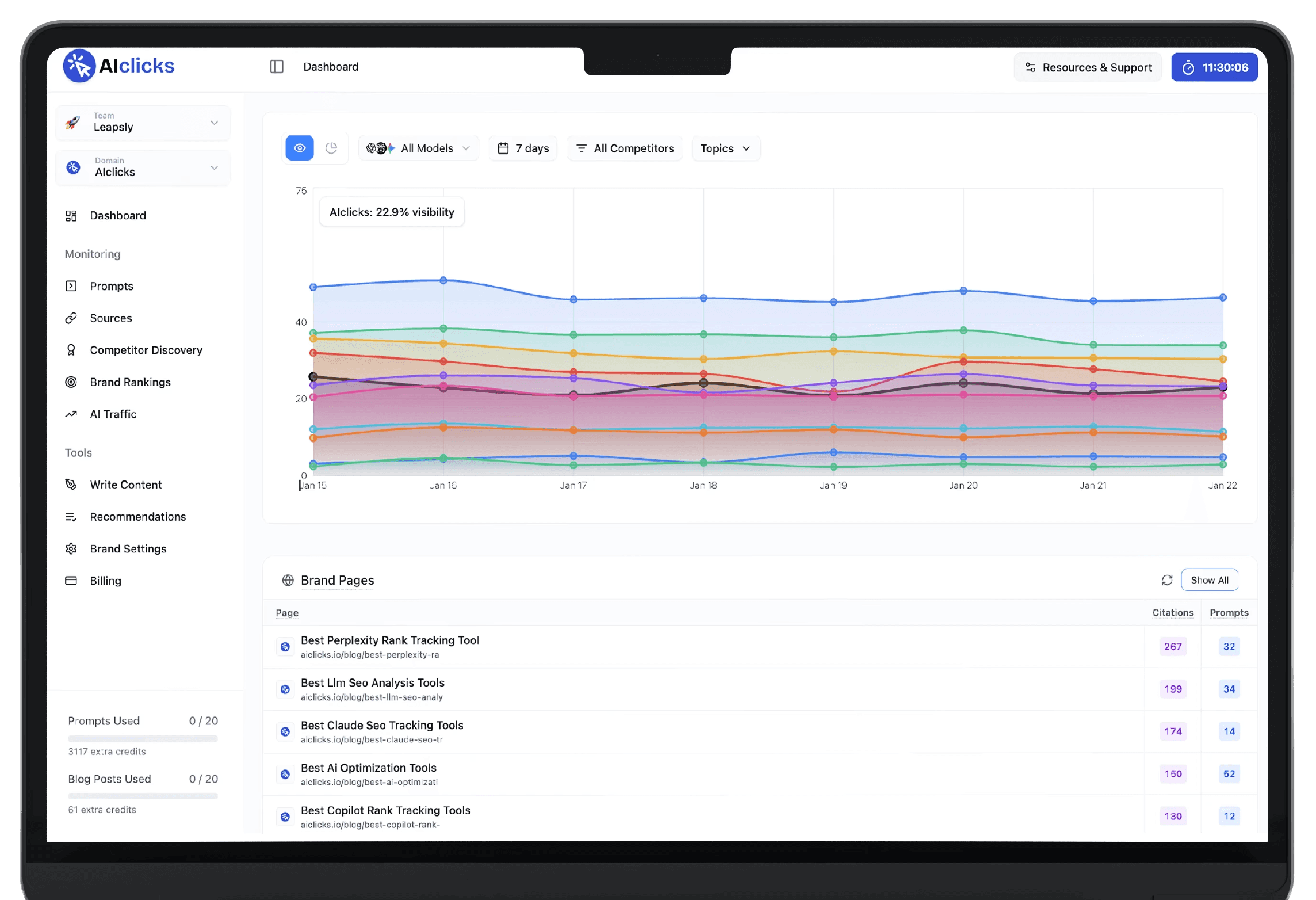
Be the #1 Response in AI
Reach millions of consumers who are using AI to discover new products and brands
Be the #1 Response in AI
Reach millions of consumers who are using AI to discover new products and brands
Be the #1 Response in AI
Reach millions of consumers who are using AI to discover new products and brands