Free YouTube SEO Tags Generator
Generate SEO-optimized YouTube tags in seconds. Our free AI tag generator turns a video topic into a full keyword set — high-volume head terms, long-tail tags, and competitor-adjacent keywords — in 20+ languages. Unlimited, no signup, no paywall.







What is a YouTube tag generator?
A YouTube tag generator is an AI tool that turns a video topic into a full, SEO-optimized tag set — the hidden keywords YouTube uses alongside titles and descriptions to classify your video, match it to queries, and pick related-video suggestions. Good tags combine one or two high-volume head keywords with five to ten long-tail variants and a few competitor-adjacent terms so your video surfaces in Search, Browse, and Up Next. Our generator pulls trending phrases, applies YouTube's 500-character tag-field limit, and writes in your chosen language — saving 10–15 minutes per upload of manual keyword research in vidIQ, TubeBuddy, or keyword spreadsheets.
How to use the YouTube tag generator
Enter your video topic, a working title, or the primary keyword — e.g. "AI tools for marketers in 2026." Pick a language from 20+ options and click Generate Tags. You'll get a ranked list of tags, each flagged with intent (tutorial, list, review) and competition level so you can prioritize the ones most likely to move the needle. Copy the full set or individual tags, paste into YouTube Studio's tag field, and stay under the 500-character limit. Pair the output with our free YouTube Title Generator, Description Generator, and Hashtag Generator to ship a full SEO metadata set in minutes.
What is a YouTube tag generator?
A YouTube tag generator is an AI tool that turns a video topic into a full, SEO-optimized tag set — the hidden keywords YouTube uses alongside titles and descriptions to classify your video, match it to queries, and pick related-video suggestions. Good tags combine one or two high-volume head keywords with five to ten long-tail variants and a few competitor-adjacent terms so your video surfaces in Search, Browse, and Up Next. Our generator pulls trending phrases, applies YouTube's 500-character tag-field limit, and writes in your chosen language — saving 10–15 minutes per upload of manual keyword research in vidIQ, TubeBuddy, or keyword spreadsheets.
How to use the YouTube tag generator
Enter your video topic, a working title, or the primary keyword — e.g. "AI tools for marketers in 2026." Pick a language from 20+ options and click Generate Tags. You'll get a ranked list of tags, each flagged with intent (tutorial, list, review) and competition level so you can prioritize the ones most likely to move the needle. Copy the full set or individual tags, paste into YouTube Studio's tag field, and stay under the 500-character limit. Pair the output with our free YouTube Title Generator, Description Generator, and Hashtag Generator to ship a full SEO metadata set in minutes.
What you can do with our free YouTube tag generator
One tool, a ranked tag set in 20+ languages, zero signup — the fastest way to fill YouTube's 500-character tag field right
What you can do with our free YouTube tag generator
One tool, a ranked tag set in 20+ languages, zero signup — the fastest way to fill YouTube's 500-character tag field right
Fill YouTube's 500-char tag field fast
YouTube gives you 500 characters across all tags combined — most creators waste the space with 3–4 generic terms. Our generator packs a full, ranked set that uses every character without keyword stuffing or stuffing irrelevant tags that hurt ranking.
Fill YouTube's 500-char tag field fast
YouTube gives you 500 characters across all tags combined — most creators waste the space with 3–4 generic terms. Our generator packs a full, ranked set that uses every character without keyword stuffing or stuffing irrelevant tags that hurt ranking.
Mix head + long-tail for fuller reach
Head tags (high volume, high competition) win impressions; long-tail tags (niche, specific) win clicks. The generator serves both — one or two head terms, 8–12 long-tail variants, and a couple of competitor-adjacent tags to unlock Suggested and Up Next slots.
Mix head + long-tail for fuller reach
Head tags (high volume, high competition) win impressions; long-tail tags (niche, specific) win clicks. The generator serves both — one or two head terms, 8–12 long-tail variants, and a couple of competitor-adjacent tags to unlock Suggested and Up Next slots.
Spy on competitor tags
Paste a competitor's video topic or title into the generator and get a tag set tuned to the same query space. Ship your video with adjacent (not identical) tags and watch YouTube surface you in the competitor's Suggested feed.
Spy on competitor tags
Paste a competitor's video topic or title into the generator and get a tag set tuned to the same query space. Ship your video with adjacent (not identical) tags and watch YouTube surface you in the competitor's Suggested feed.
Localize tags into 20+ languages
For subtitled or dubbed versions, run the same topic in Spanish, Portuguese, French, German, Japanese, Korean, Hindi, Arabic, Indonesian — and get natively-phrased tags (not machine-translated English) that actually match what viewers in those languages search.
Localize tags into 20+ languages
For subtitled or dubbed versions, run the same topic in Spanish, Portuguese, French, German, Japanese, Korean, Hindi, Arabic, Indonesian — and get natively-phrased tags (not machine-translated English) that actually match what viewers in those languages search.
Refresh tags on under-performing videos
Old videos with thin or dated tag sets are a retag-and-republish goldmine. Regenerate the tag field, swap in the new set in YouTube Studio, and let the algorithm reassess the video — often picking up search impressions the original tag set never earned.
Refresh tags on under-performing videos
Old videos with thin or dated tag sets are a retag-and-republish goldmine. Regenerate the tag field, swap in the new set in YouTube Studio, and let the algorithm reassess the video — often picking up search impressions the original tag set never earned.
Ship full video metadata in 2 minutes
Tags alone don't rank — they work alongside title, description, and hashtags. Pair the tag generator with our YouTube Title Generator, Description Generator, and Hashtag Generator to assemble a complete SEO-optimized metadata set per upload.
Ship full video metadata in 2 minutes
Tags alone don't rank — they work alongside title, description, and hashtags. Pair the tag generator with our YouTube Title Generator, Description Generator, and Hashtag Generator to assemble a complete SEO-optimized metadata set per upload.
SERP & Rankings
Technical SEO
AI Writing & Content
Keyword Research
AI Visibility
Social & YouTube
How AIclicks works
How AIclicks works

01

Brand Audit
We start by mapping your current AI visibility, analyzing how often you appear in LLMs answers. This gives us a precise roadmap of what needs to be fixed, improved, or created.
01
Brand Audit
We start by mapping your current AI visibility, analyzing how often you appear in LLMs answers. This gives us a precise roadmap of what needs to be fixed, improved, or created.
02
AI-Optimized Content
We produce content crafted specifically for AI models. We reinforce this with citation-worthy sources and high-authority mentions that help AI systems trust and reference your brand.
02
AI-Optimized Content
We produce content crafted specifically for AI models. We reinforce this with citation-worthy sources and high-authority mentions that help AI systems trust and reference your brand.
03
Optimization, Tracking & Insights
You get access to a custom AI visibility dashboard, weekly progress updates, and continuous optimization cycles. We monitor ranking shifts, citation changes, competitors, and new AI opportunities.
03
Optimization, Tracking & Insights
You get access to a custom AI visibility dashboard, weekly progress updates, and continuous optimization cycles. We monitor ranking shifts, citation changes, competitors, and new AI opportunities.
Explore our blog
Explore our blog





FAQ
Is this YouTube tag generator really free?
Yes. Every tag generation is 100% free, unlimited, and requires no signup, credit card, or email. Tag every video on your channel without hitting a daily cap — unlike vidIQ's free tier, TubeBuddy, or keywordtool.io's paywall.
Do YouTube tags still matter for SEO?
Yes. YouTube downplayed tags publicly, but they still help disambiguate video topics (especially for misspellings and niche variations), match videos to related-video panels, and feed the algorithm signals for Suggested and Up Next placements. Empty or lazy tag fields leave ranking on the table.
How many tags should a YouTube video have?
Aim for 10–20 tags per video, capped by the 500-character total limit across the tag field. Start with one or two head terms, then layer long-tail variants and competitor-adjacent keywords. More than 20 tags dilutes the signal — YouTube starts treating the field as low-quality.
Can I generate YouTube tags in languages other than English?
Yes. Pick from 20+ languages — Spanish, French, German, Portuguese, Italian, Japanese, Korean, Chinese, Hindi, Arabic, Turkish, Indonesian, and more. Tags are written natively, not machine-translated, so they match the exact phrasing viewers in those languages actually type.
What's the difference between YouTube tags and hashtags?
Tags go in YouTube Studio's Tags field and are invisible to viewers — they help the algorithm classify your video. Hashtags sit in the description (and render above the title) and are viewer-clickable, taking users to a topical hashtag feed. Use both. For hashtags, pair this generator with our free YouTube Hashtag Generator.
FAQ
Is this YouTube tag generator really free?
Yes. Every tag generation is 100% free, unlimited, and requires no signup, credit card, or email. Tag every video on your channel without hitting a daily cap — unlike vidIQ's free tier, TubeBuddy, or keywordtool.io's paywall.
Do YouTube tags still matter for SEO?
Yes. YouTube downplayed tags publicly, but they still help disambiguate video topics (especially for misspellings and niche variations), match videos to related-video panels, and feed the algorithm signals for Suggested and Up Next placements. Empty or lazy tag fields leave ranking on the table.
How many tags should a YouTube video have?
Aim for 10–20 tags per video, capped by the 500-character total limit across the tag field. Start with one or two head terms, then layer long-tail variants and competitor-adjacent keywords. More than 20 tags dilutes the signal — YouTube starts treating the field as low-quality.
Can I generate YouTube tags in languages other than English?
Yes. Pick from 20+ languages — Spanish, French, German, Portuguese, Italian, Japanese, Korean, Chinese, Hindi, Arabic, Turkish, Indonesian, and more. Tags are written natively, not machine-translated, so they match the exact phrasing viewers in those languages actually type.
What's the difference between YouTube tags and hashtags?
Tags go in YouTube Studio's Tags field and are invisible to viewers — they help the algorithm classify your video. Hashtags sit in the description (and render above the title) and are viewer-clickable, taking users to a topical hashtag feed. Use both. For hashtags, pair this generator with our free YouTube Hashtag Generator.
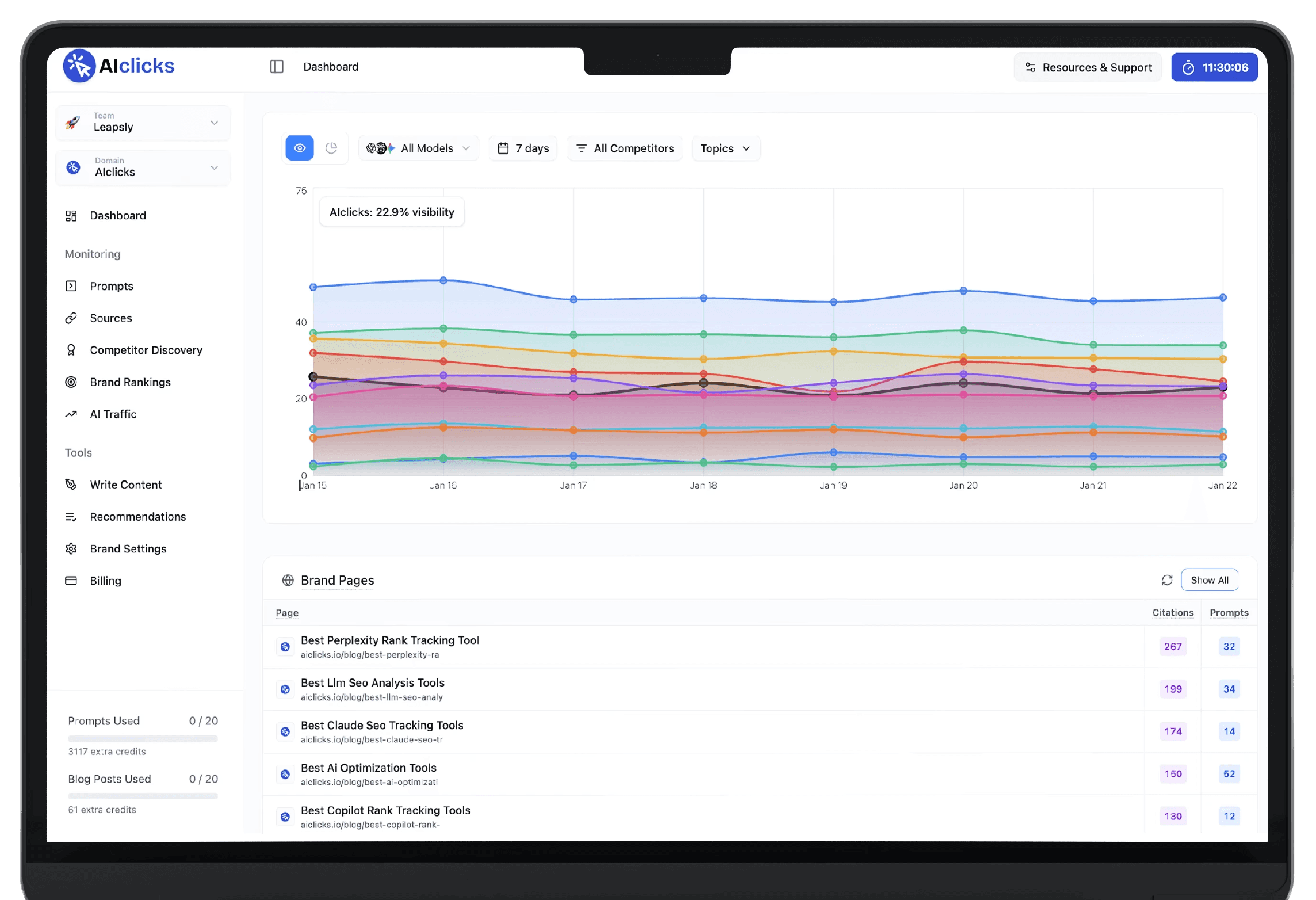
Be the #1 Response in AI
Reach millions of consumers who are using AI to discover new products and brands
Be the #1 Response in AI
Reach millions of consumers who are using AI to discover new products and brands
Be the #1 Response in AI
Reach millions of consumers who are using AI to discover new products and brands