


Reviewed by:
Matas Kibildis

Head of Growth @aiclicks.io
Last updated:
Expert Verified

Free AI visibility audit
Key Takeaways
A startup rarely needs a full AI stack on day one, one tool that solves the single biggest bottleneck, whether that's code, support, or meetings, usually beats adopting several AI tools at once.
Several of these tools bundle their most useful AI capability into a product a team might already use rather than selling it as something separate, Notion AI inside Notion and Figma AI inside Figma both work this way.
Credit-based AI usage on top of a flat seat price is becoming standard rather than the exception, worth watching so usage doesn't outgrow the included allotment before the billing cycle resets.
Category boundaries are blurring, a meeting-notes tool now handles voice agents and a design tool now generates working prototypes, so a problem can often be solved by expanding a tool a team already uses rather than adding a new one.
This is a fast-moving market: renamed plans, new pricing tiers, and even ownership changes are common enough that a tool's current name and status are worth confirming directly before building a long-term workflow around it.
What Makes a Good AI Tool for a Startup
It solves one specific, recurring bottleneck well, since a small team has neither the headcount nor the time to babysit a general-purpose tool that does everything poorly.
Its free or entry tier is generous enough to prove real value before a startup commits a budget, since most of these tools meter their most useful AI features by credits or seats that scale with usage.
It plugs into tools the team already uses, Slack, the CRM, the calendar, instead of becoming another tab no one opens after the first week.
Quick Comparison
Tool | Category | Starting Price | Standout Feature |
AIclicks | AI marketing/visibility | $59/mo | Real-UI querying across 10+ LLMs, with Sources and Competitor Discovery showing exactly where you're cited or missing |
Cursor | AI coding | Free (Paid from $20/mo) | Autonomous coding agents working in parallel across the IDE, CLI, Slack, and GitHub |
Fireflies.ai | AI meeting notes | Free (Paid from $18/mo) | AskFred AI Q&A search across every past meeting transcript |
Intercom Fin | AI customer support | $0.99 per resolved conversation | 76% resolution rate across 12,000+ customers, in 45+ languages |
Clay | AI sales/GTM | Free (Paid from $185/mo) | Claygent AI research agent pulling from 200+ data providers in one enrichment waterfall |
Figma AI | AI design | Limited free (Paid from $3/mo) | AI credits bundled into every plan, including the free tier, with no separate paid add-on |
Notion AI | AI workspace | Free (Paid from $12/mo) | Notion Agent completing multi-step tasks using context from connected apps and the web |
Motion | AI scheduling | $29/mo | AI Calendar Assistant re-optimizing the schedule multiple times a day as tasks shift |
Descript | AI video editing | Free (Paid from $24/mo) | Underlord AI editor generating clips and fixing audio automatically from a transcript |
ChatGPT Business | General AI assistant | $20/user/mo | Centralized billing, admin controls, and business data excluded from model training by default |
1. AIclicks: Best for Knowing Whether AI Engines Recommend a Startup at All
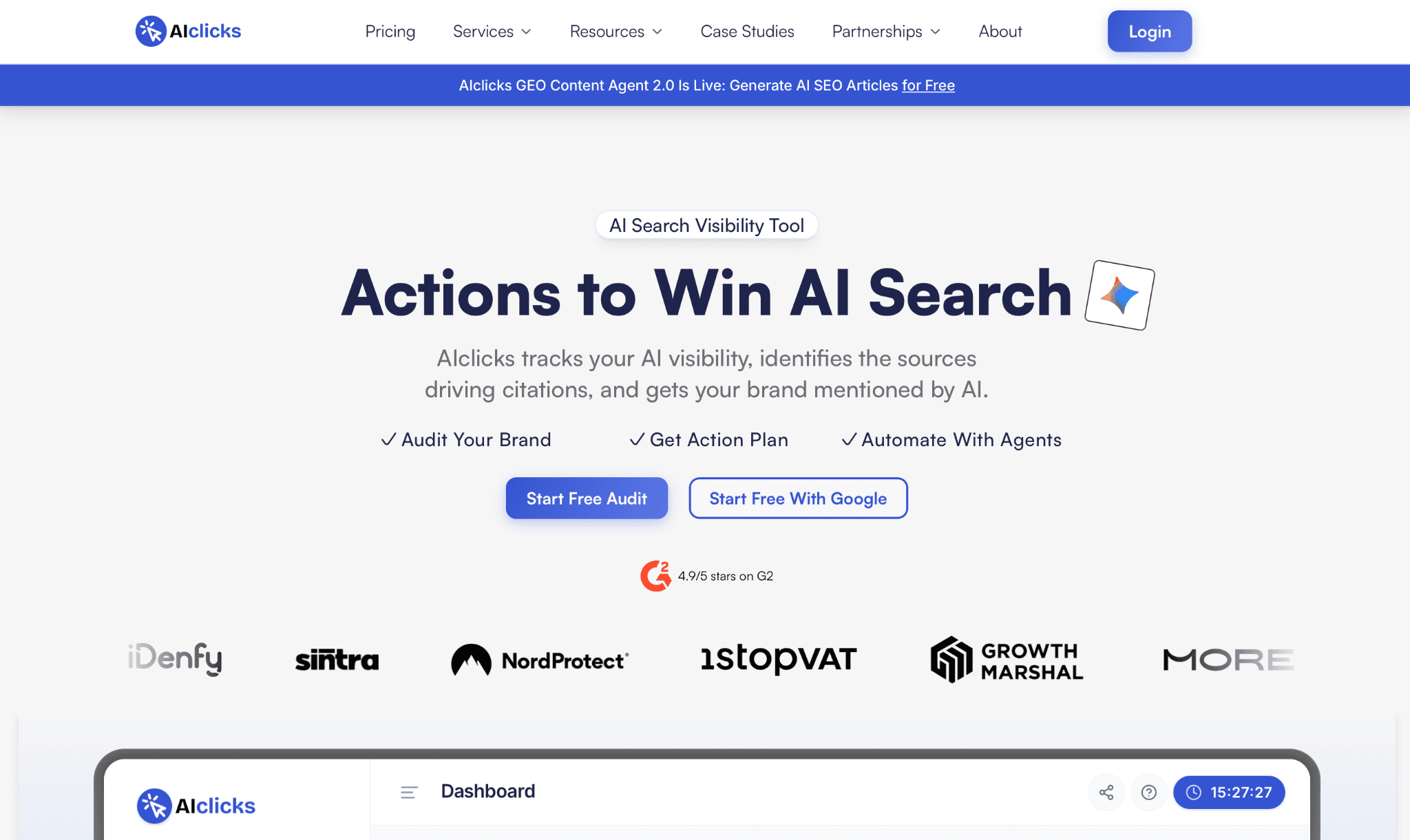
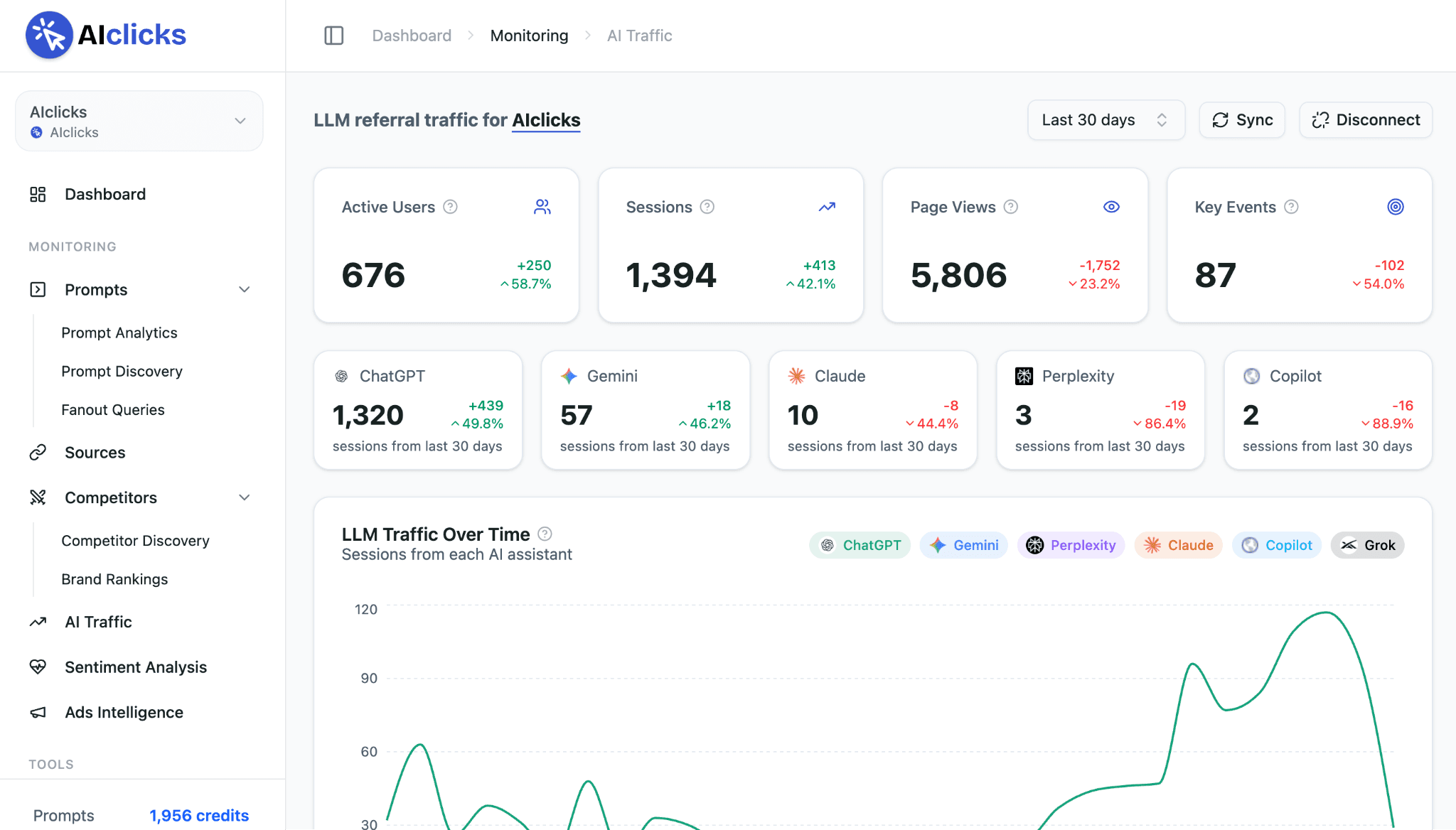
AIclicks tracks brand visibility across 10+ AI engines, including ChatGPT, Gemini, Perplexity, Google AI Overviews, and Copilot, using real-UI querying rather than API calls. For an early-stage startup, that means seeing exactly which prompts surface the brand when a prospect asks an AI assistant for a recommendation, which named competitors get cited instead, and which LLMs are actually sending traffic, then acting on those findings directly through its Actions suite rather than handing the data off to a separate tool.
Key features:
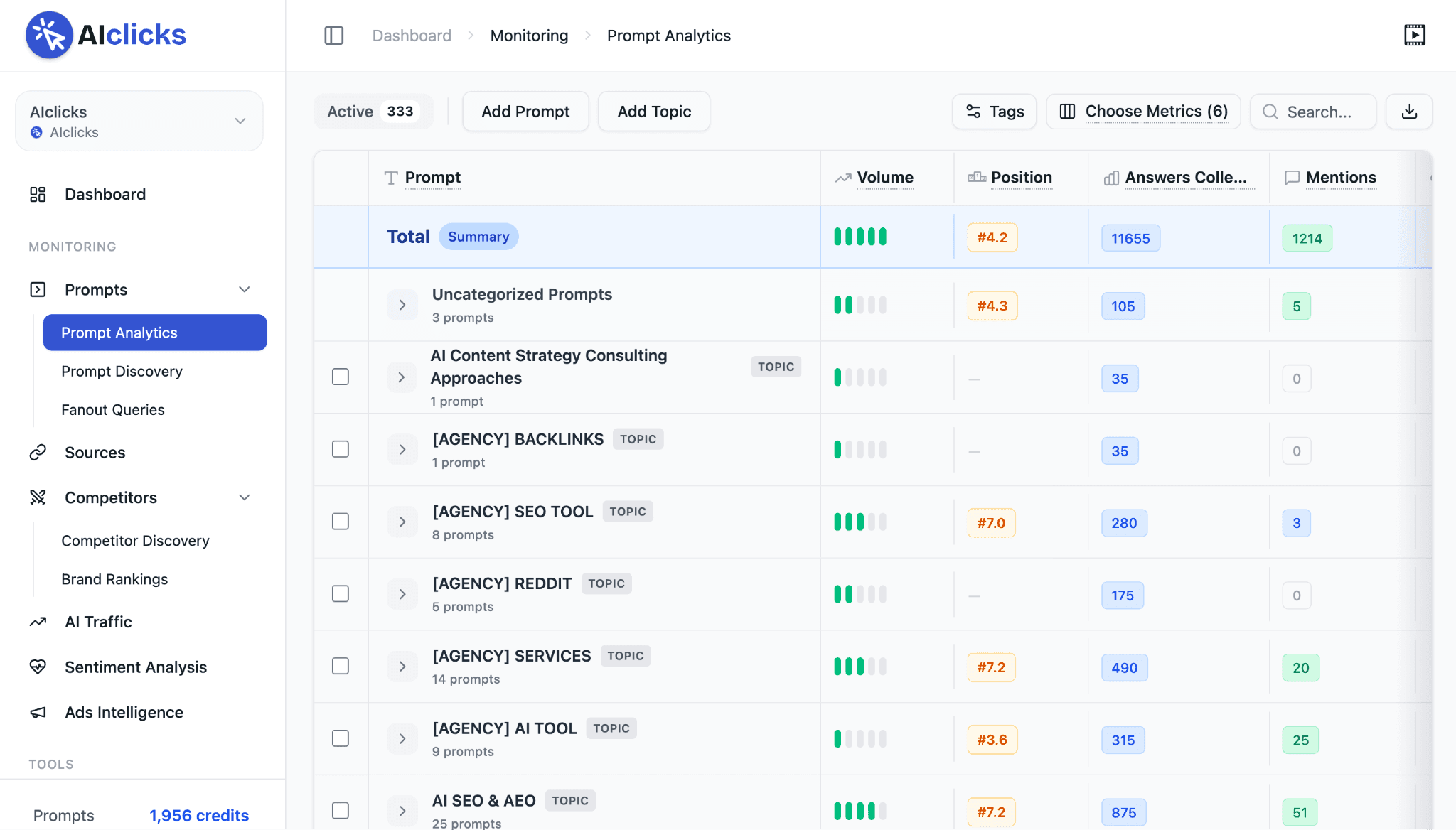
Prompt Analytics showing exactly which prompts your brand appears in, and which it doesn't
Sources showing the specific pages and domains AI engines cite when answering brand-relevant prompts

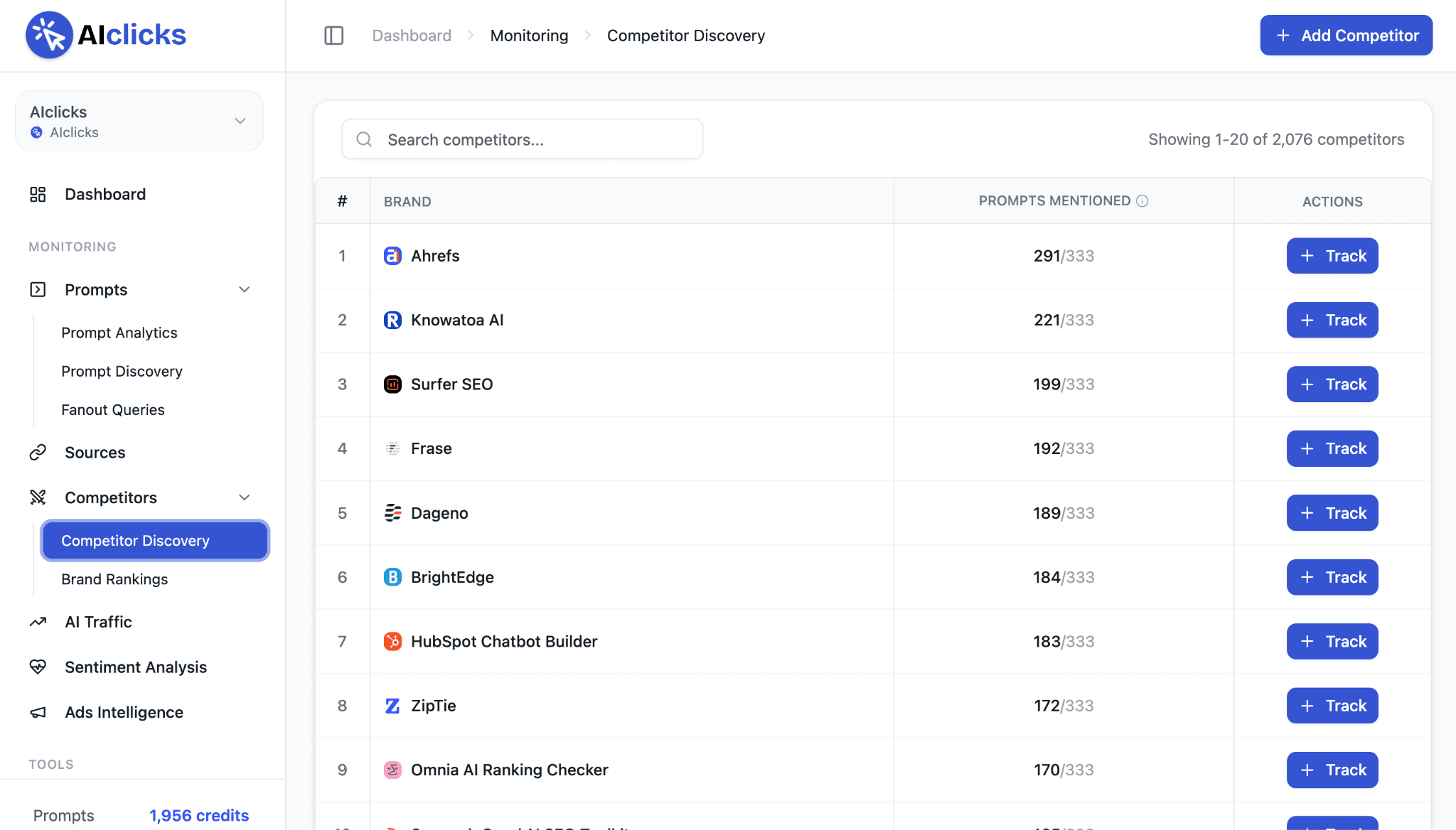
Competitor Discovery tracking how named competitors perform across the same prompts and engines
AI Traffic showing which LLMs are actually referring visitors to the site, with GA4-connected analytics
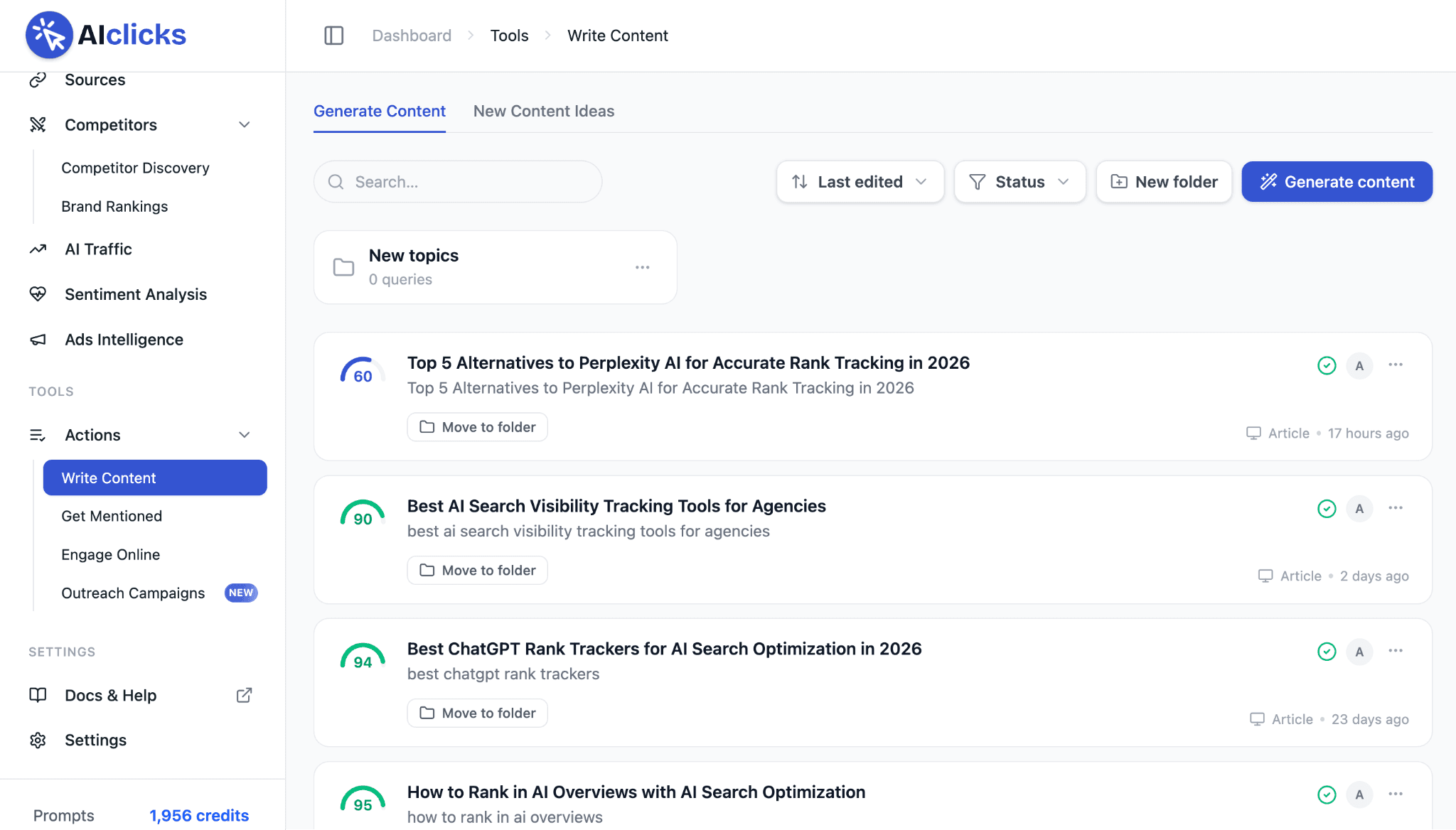
Actions suite: Writer 2.0 writes AI-optimized content with one-click publishing to WordPress, Webflow, Shopify, and Framer, Get Mentioned surfaces where to pursue mentions, and Engage Online surfaces relevant social posts to engage with
Pros:
Tracks 10+ LLMs using real-UI querying, not just API sampling
Competitor Discovery and Sources data are tied to action, not just reporting
3-day free trial with no credit card required on Starter and Pro
Cons:
Starter plan is limited to 1 website and 3 selectable LLMs, tight for a startup tracking multiple products or markets
A startup with no existing AI-citation presence yet may need a few weeks of tracking before there's enough data to act on
G2 rating: 4.9/5
Pricing: Starter $59/mo | Pro $189/mo | Business $499/mo | Enterprise custom
Verdict: For a startup that wants to know whether ChatGPT, Gemini, and Perplexity are recommending it over competitors, and do something about it if not, AIclicks is the only tool on this list built specifically for that question.
Here’s a quick tutorial for AIclicks:
2. Cursor: Best for Shipping Code Faster With AI Agents
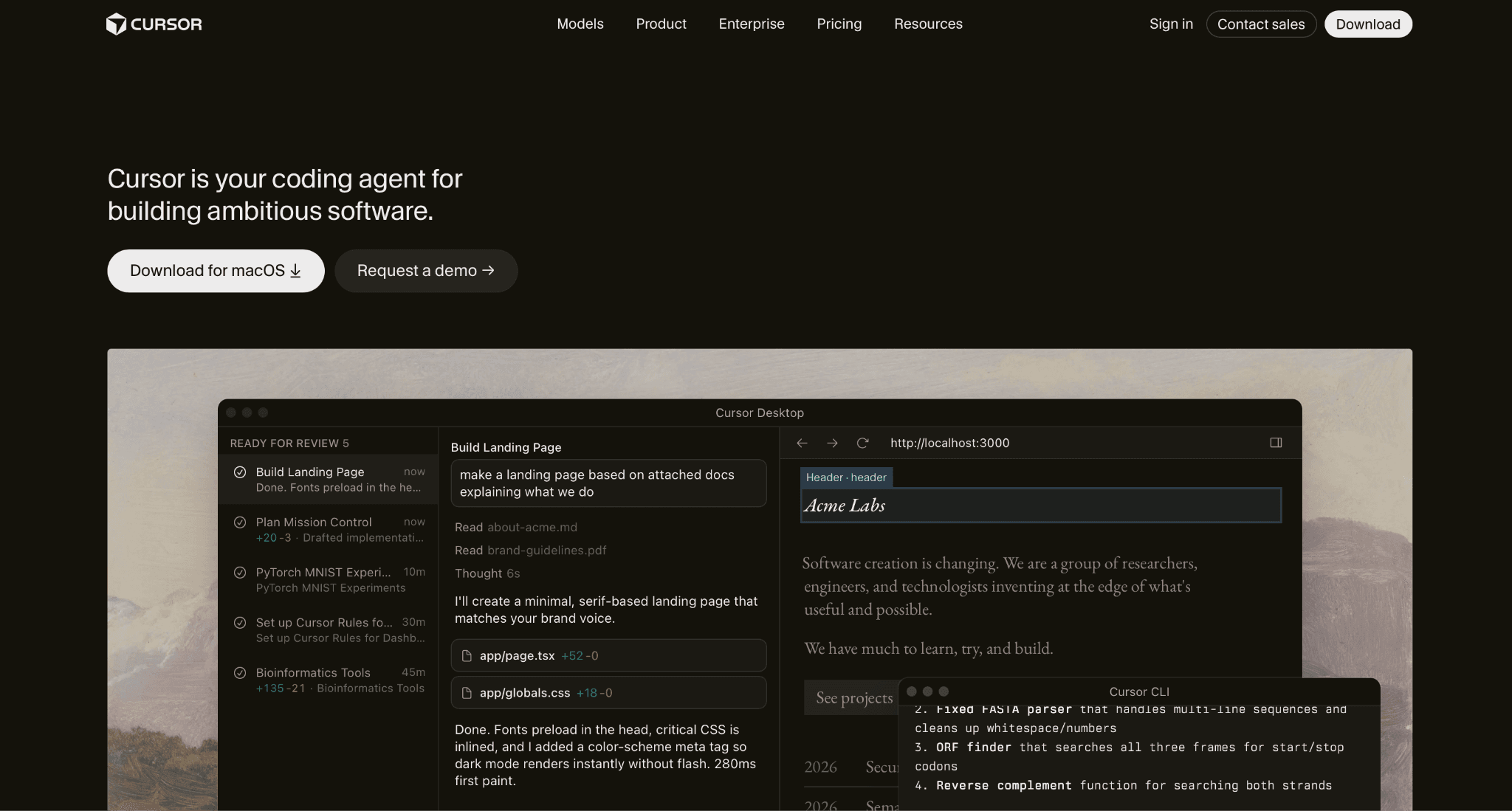
Cursor is an AI-native code editor built around autonomous coding agents that work in parallel across the IDE, CLI, Slack, and GitHub. For a startup engineering team, that means delegating repetitive implementation work, bug fixes, and scheduled automation to an agent while a developer focuses on architecture and review.
Key features:
Agents working autonomously and in parallel across multiple files and tasks
Multi-model routing through Cursor Router, letting a team pick between speed, balance, or cost for a given task
Bugbot for agentic code review, billed on usage
Integration across the IDE, CLI, Slack, and GitHub, plus a new iPad app
Pros:
Pro tier at $20/mo is accessible for a solo founder or small team
Free Hobby tier gives limited agent access with no credit card required
Weekly product releases suggest active, fast-moving development
Cons:
Pro+ ($60/mo) and Ultra ($200/mo) jump quickly in price for higher agent usage limits, worth confirming a startup actually needs that much capacity before upgrading
Teams pricing starts at $40/user/month, a real jump from the $20/mo individual Pro price, and Teams Premium runs $120/user/month
G2 rating: 4.6/5
Pricing: Hobby Free (limited agent requests, Composer access) | Individual $20/mo | Teams $40/user/mo | Enterprise custom
Verdict: For a startup engineering team that wants AI agents doing real implementation work rather than autocomplete, Cursor's Teams tier is an easy first step.
3. Fireflies.ai: Best for Turning Every Meeting Into Searchable Notes
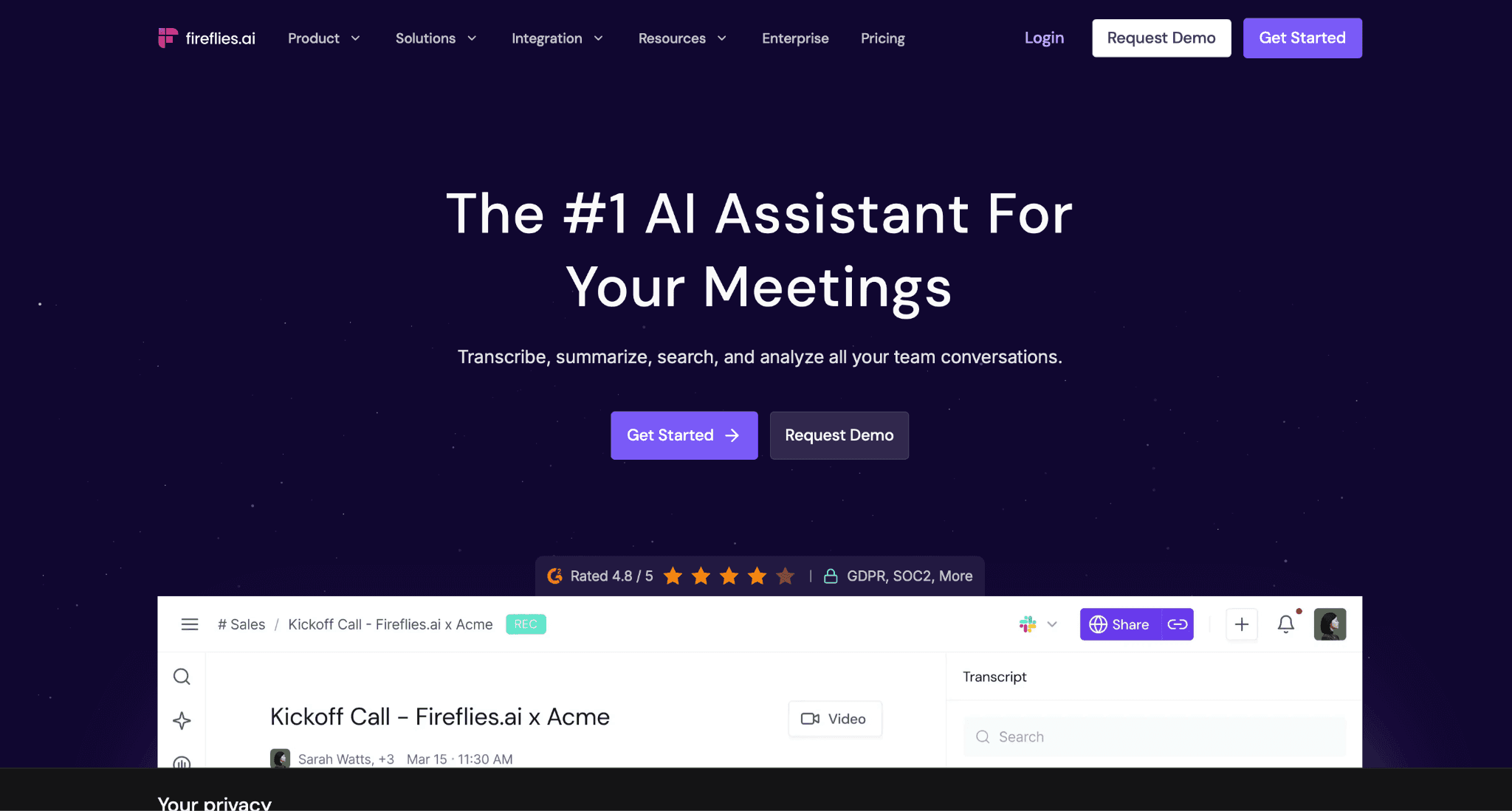
Fireflies.ai transcribes and summarizes meetings automatically, with AskFred, its AI Q&A feature, letting a team search across every past meeting transcript by asking a question rather than scrolling through notes. For a startup running constant customer calls, standups, and investor updates, that turns meetings into a searchable record.
Key features:
Transcription at a stated 95% accuracy across 100+ languages, with speaker recognition
AskFred AI Q&A and AI-powered search with sentence and timestamp-level recall
AI summaries covering overview, bullet points, and action items, plus conversation intelligence like talk-time and sentiment
Integrations with 100+ apps, including Salesforce, HubSpot, Zoom, Slack, and Notion
Pros:
Free forever tier includes unlimited transcription and AI summaries, not just a capped trial
Pro tier at $18/mo is inexpensive for a small team's first paid AI tool
Unlimited integrations even on the entry paid tier
Cons:
Enterprise tier is annual-only at $39/mo, with no monthly billing option confirmed
AI credits are capped even on paid tiers, 20 on Pro, 30 on Business, worth checking what consumes a credit before assuming unlimited AI usage
G2 rating: 4.7/5
Pricing: Free $0 (400 mins storage, unlimited transcription and summaries, 20 AI credits, 2-hour recording cap) | Pro $18/mo | Business $29/mo | Enterprise $39/mo, annual only
Verdict: For a startup that wants every meeting transcribed, summarized, and searchable without a steep price jump, Fireflies.ai's free and Pro tiers cover most of what a small team needs.
4. Intercom Fin: Best for Resolving Customer Support Without Adding Headcount
Fin is Intercom's AI customer support agent, priced per resolved conversation rather than a flat seat fee for the AI itself. It handles chat, email, voice, Slack, Discord, and social channels in 45+ languages, built on Intercom's own Apex models. Worth flagging directly: Salesforce signed a definitive agreement in June 2026 to acquire Fin for roughly $3.6 billion, a deal still pending regulatory close, so a startup betting long-term support infrastructure on it should watch how that plays out.
Key features:
Resolution rate stated at 76% across 12,000+ customers, with some seeing over 85%
45+ languages supported, operating 24/7 across chat, email, voice, Slack, Discord, and social/WhatsApp/SMS
Built on proprietary Apex 1.0 and Apex Flash models
Standard human handoffs are free, with more complex qualifications billed separately
Pros:
Usage-based pricing means a startup only pays for conversations Fin actually resolves, not idle seats
14-day free trial with unlimited Fin outcomes and no credit card required
Works as a standalone helpdesk or bundled into Intercom's existing seat-based plans
Cons:
Exact per-seat pricing for Intercom's bundled tiers showed inconsistent figures across the site's own pages, worth a direct quote before committing to a bundled plan
The pending Salesforce acquisition adds real uncertainty to the product's pricing and roadmap over the next year
G2 rating: 4.5/5
Pricing: Standalone $0.99 per resolved outcome, 50-outcome/month minimum, no seats required | Bundled with Intercom seats from around $19/mo per seat plus $0.99 per outcome
Verdict: For a startup that wants AI handling first-line support without hiring for it, Fin's per-resolution pricing scales naturally with support volume, though it's worth confirming current seat pricing directly given the pending acquisition.
5. Clay: Best for AI-Powered Sales Research and Outreach
Clay combines data enrichment from 200+ providers with Claygent, an AI research agent that looks up target companies and people on demand. For a startup building outbound motion without a large SDR team, that means one platform doing prospect research, enrichment, and campaign triggering instead of stitching together several point tools.
Key features:
Claygent AI agent researching target companies and people directly inside a workflow
200+ data providers accessible through one contract, with multi-provider "waterfalls" for enrichment
Agent plugin CLI/API for building custom workflows with a coding agent
CRM auto-sync, data warehouse sync, and webhook automation on higher tiers
Pros:
Free plan includes real Claygent access and unlimited seats and tables, not just a demo
14-day trial grants Growth-plan features and 2,000 credits to test the platform properly
One contract covers 200+ enrichment providers instead of separate vendor relationships
Cons:
Paid tiers start relatively high for an early-stage budget, Launch begins at $185/mo
G2 rating: 4.6/5
Pricing: Free $0 | Launch $185/mo | Growth from $495/mo | Enterprise custom
Verdict: For a startup ready to invest in serious outbound infrastructure, Clay's free plan is enough to test Claygent before deciding whether the jump to Launch or Growth pricing is worth it.
6. Figma AI: Best for Design Work That Doesn't Require a Separate AI Budget
Figma bundles its AI capabilities, branded collectively as Figma AI, into every plan through a shared credit system rather than a separate paid add-on. Figma Agent, Figma Make, and Figma Weave cover generating and remixing designs, turning prompts into working prototypes, and generating images and vectors directly inside the file a startup's design team already works in.
Key features:
Figma Agent (Beta) generating and remixing designs, automating busywork, and giving design feedback
Figma Make converting prompts and designs into working prototypes and web apps
Figma Weave Tools (Beta) generating images and vectors directly in Figma
AI credits included on every plan, including the free Starter tier, with free actions like AI search and layer renaming that don't consume credits
Pros:
AI is included on the free tier, not gated behind a paid plan
Credit system means a small team can use AI features without negotiating a separate contract
Weave, Make, and Agent all live inside the same file a designer already has open
Cons:
Credits reset monthly and don't roll over, so an unusually AI-heavy month can hit the cap before it resets
Heavier AI tasks like Figma Make cost 30-100+ credits per task, worth watching usage before assuming the included allotment covers a full project
G2 rating: 4.7/5
Pricing: Starter Free (500 AI credits/mo, 150/day cap) | Professional $16/mo full seat, $12 Dev seat, $3 Collab seat (3,000 AI credits/mo full seat) | Organization $55/mo full seat (3,500 AI credits/mo) | Enterprise $90/mo full seat (4,250 AI credits/mo)
Verdict: For a startup design team that wants AI generation and prototyping without a separate line item, Figma AI's credit system built into every plan, including free, makes it an easy add with no new budget conversation required.
7. Notion AI: Best for a Team Workspace With Built-In Automation

Notion's AI capabilities span several distinct features, Notion Agent for multi-step task completion, Custom Agents for team-configurable automations, Enterprise Search across connected apps, and AI Meeting Notes, but full access to the core Notion Agent requires the $20/mo Business plan rather than the cheaper Free or Plus tiers, which only offer a capped AI trial.
Key features:
Notion Agent completing complex, multi-step tasks using context from Notion, connected apps, and the web
Custom Agents automating recurring workflows across connected apps for the whole team
Enterprise Search pulling results from Slack, Google Drive, GitHub, and more in seconds
AI Meeting Notes capturing detail and generating actionable summaries directly in the workspace
Pros:
A startup already using Notion as its workspace doesn't need to adopt a separate tool for AI search or meeting notes
Custom Agents and Workers extend automation further for teams that outgrow the built-in agent
Cons:
Free and Plus plans only offer a capped AI trial, not real ongoing access, a startup on a tight budget will likely need Business to get real use out of Notion AI
Custom Agents and Workers are billed separately through Notion credits at $10 per 1,000 credits/mo, an extra cost on top of the Business seat price once a team uses them seriously
G2 rating: 4.6/5
Pricing: Free $0 (AI trial access only) | Plus $12/member/mo (same limited AI trial) | Business $24/member/mo (Notion Agent, AI Meeting Notes, Enterprise Search, Research mode included) | Enterprise custom (adds zero data retention with LLM providers)
Verdict: For a startup that already lives in Notion, the Business plan's bundled AI features are worth the jump from Plus, but budget for Custom Agents and Workers as a separate line item once the team starts relying on them.
8. Motion: Best for a Calendar That Rebuilds Itself Around Real Priorities
Motion's AI Calendar Assistant automatically timeblocks tasks and reschedules the day as priorities shift, re-optimizing multiple times daily rather than leaving a founder to manually rearrange a calendar every time something runs long. Its AI Project Manager and AI Task Planner extend the same logic to full projects, distinguishing a task's due date from when it actually needs to get worked on.
Key features:
AI Task Planner distinguishing "Do Date" from "Due Date" to build an optimal daily schedule
AI Project Manager, with Motion's own site citing projects completed 32% faster by eliminating idle time
AI Meeting Notetaker at a stated 80% accuracy, auto-generating action items and summaries
AI Calendar Assistant dynamically re-optimizing the schedule multiple times a day
Pros:
Over 1 million users cited on Motion's own site, a signal of real adoption beyond a niche audience
Two straightforward paid tiers, no confusing add-on structure
Meeting notes, task planning, and calendar management live in one subscription instead of three
Cons:
No free tier, only a free trial of unconfirmed length, a founder wanting to test it fully needs to start a trial rather than use a capped free plan indefinitely
No published Enterprise tier was found, so a fast-growing team may need to ask directly about pricing at scale
G2 rating: 4.1/5
Pricing: Pro AI $29/seat/mo | Business AI $49/seat/mo
Verdict: For a founder or small team drowning in calendar Tetris, Motion's Pro AI tier is a reasonable first paid AI tool, with Business AI worth it once the team needs reporting and permissions on top of the scheduling itself.
9. Descript: Best for Startups Producing Their Own Video or Podcast Content
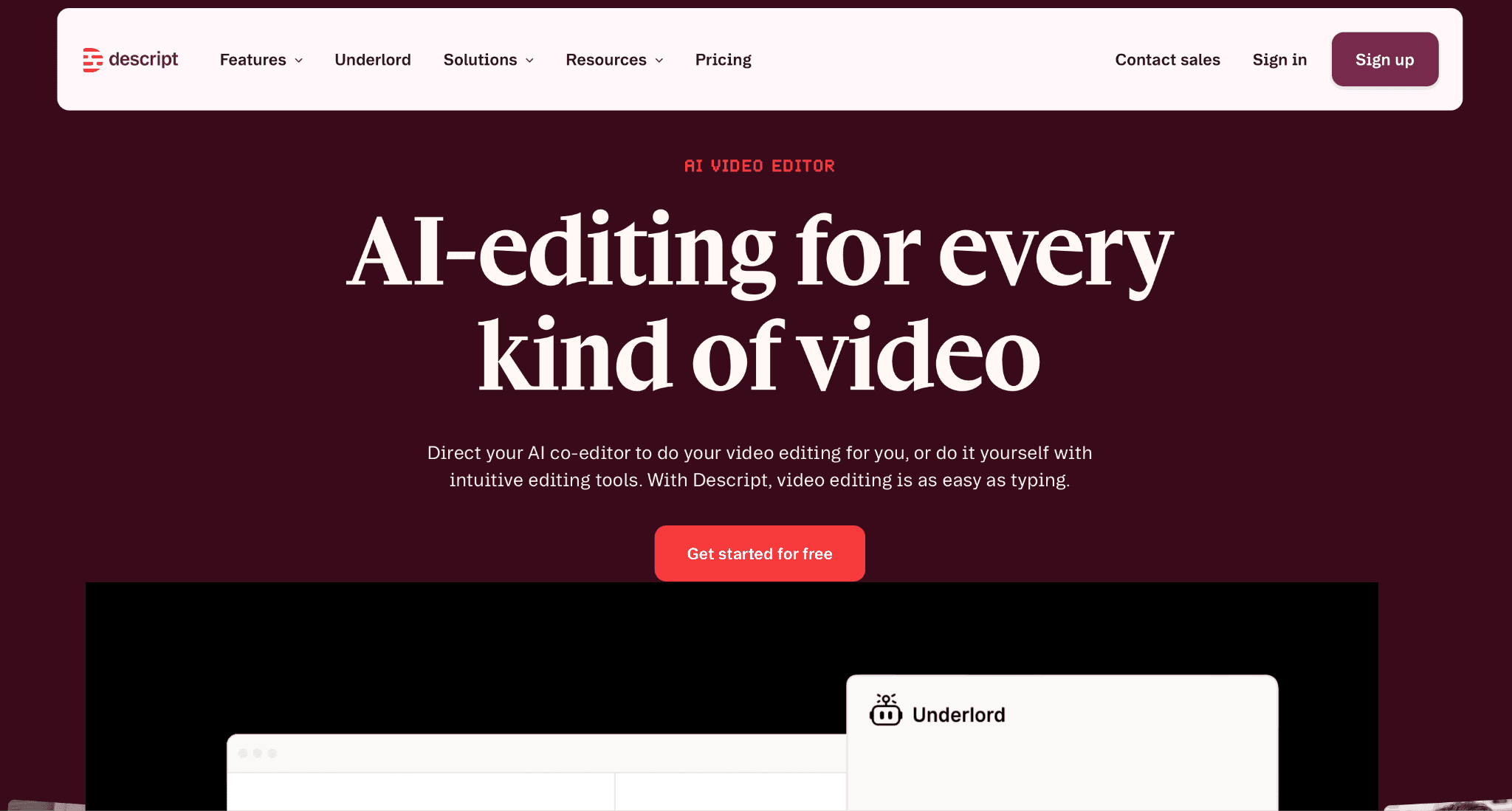
Descript edits audio and video by editing text, with Underlord, its AI editor, generating clips, writing show notes, fixing audio, and handling tedious edits automatically. Its voice tool, now called Regenerate rather than the older Overdub branding, fixes mismatched tone and enhances speaker audio without a full re-record.
Key features:
Underlord AI editor generating clips, show notes, and automated edits from a transcript
Regenerate, formerly Overdub, fixing tone mismatches and enhancing speaker voices, plus background noise removal
Automated transcription with green screen removal, eye contact correction, and captioning
Dubbing and translation in 30+ languages on the Business tier
Pros:
Permanent free tier with no credit card required, not just a time-limited trial
Creator tier at $35/mo supports up to 3 team seats, reasonable for an early content team
4K export and unlimited royalty-free stock media included from the Creator tier up
Cons:
Media hours are capped even on paid tiers, 10 hours/mo on Hobbyist, 30 on Creator, a startup publishing frequently will need to watch usage closely
AI credits are metered separately from media hours, and the pricing page's own wording on whether Free-tier credits renew monthly was inconsistent, worth confirming directly before assuming unlimited AI use
G2 rating: 4.6/5
Pricing: Free $0 | Hobbyist $24/mo | Creator $35/mo | Business $65/mo | Enterprise custom
Verdict: For a startup that records podcasts, demo videos, or webinars regularly, Descript's Creator tier covers real production needs without the cost of a dedicated video editor.
10. ChatGPT Business: Best General-Purpose AI Assistant for a Whole Team
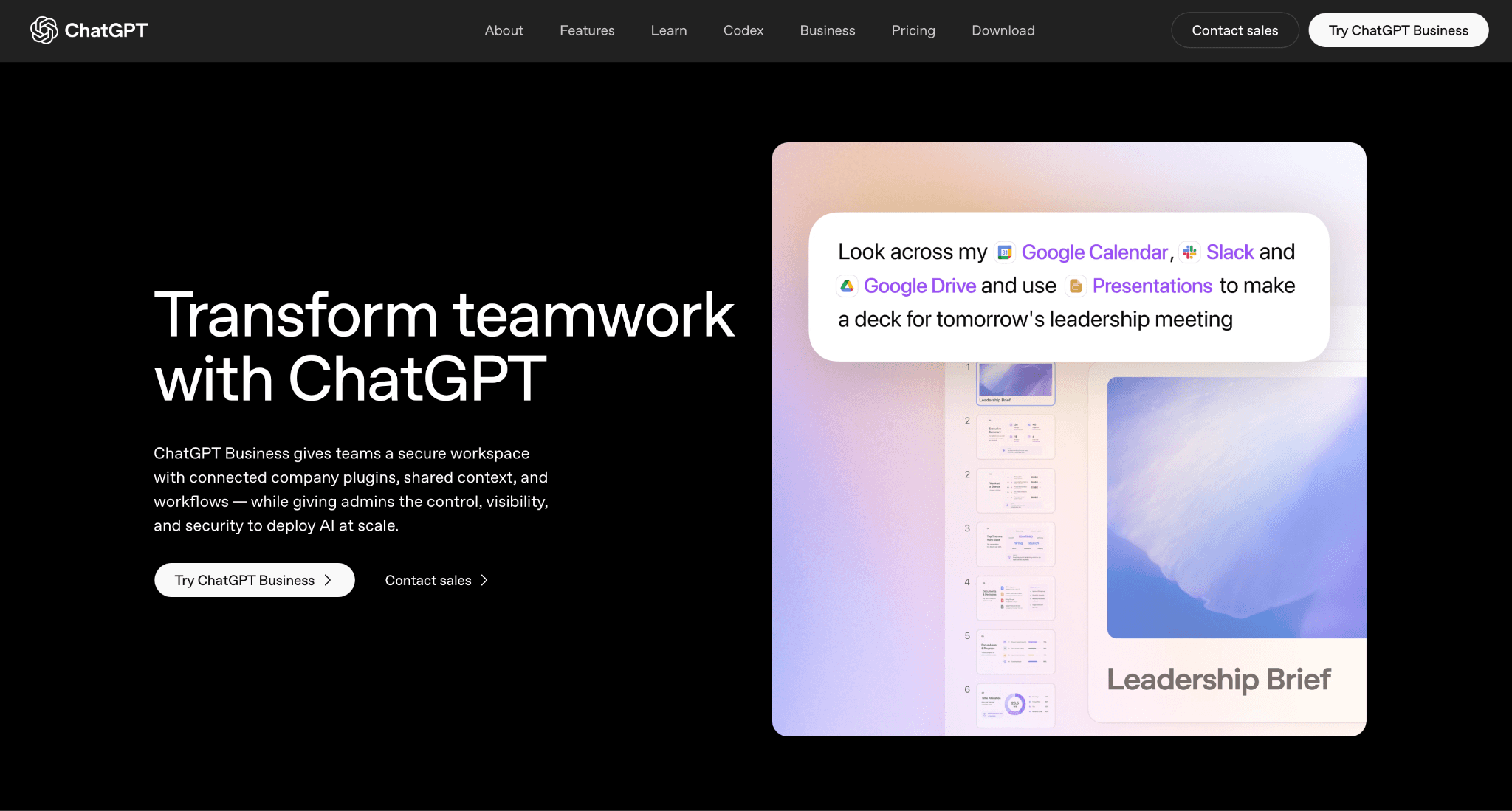
ChatGPT Business gives every seat access to ChatGPT and Codex, plus GPTs, Projects, Apps, Company Knowledge, ChatGPT Agent, and Deep Research, with centralized billing and admin controls built for a team rather than an individual account.
Key features:
Access to ChatGPT and Codex together under one seat, with GPTs, Projects, Apps, Company Knowledge, ChatGPT Agent, and Deep Research included
Centralized billing across users, with admin controls for managing roles and access
Usage visibility and spend controls for the team
Business data excluded from model training by default, encrypted in transit and at rest
Pros:
A Premium seat tier launched in August 2026 for power users who regularly hit usage caps, with five times the usage of Standard
Admin controls and centralized billing mean a founder isn't managing individual ChatGPT Plus subscriptions across the team
Data-training exclusion is on by default, not something that requires a separate opt-out request
Cons:
Two-seat minimum on Business means it's not built for a true solo founder, who would use the individual ChatGPT Plus plan instead
Codex seats are usage-based rather than a fixed monthly cost, and were restricted to workspaces that added them before June 24, 2026, so a newer workspace may not be able to add this feature the same way
G2 rating: 4.6/5
Pricing: Business Standard $25/mo | Enterprise custom
Verdict: For a startup team that wants one AI assistant everyone can use under centralized billing rather than a pile of individual subscriptions, ChatGPT Business is the straightforward default, with Enterprise available once the team needs deeper admin and security controls.
How to Choose an AI Tool for a Startup
Start with the function costing the most time right now, whether that's writing code, running support tickets, or preparing for meetings, and pick the one tool that directly addresses it rather than adopting several AI tools at once.
Check whether the AI feature is bundled into a plan the team might already need anyway, Notion AI inside Notion, Figma AI inside Figma, before buying a single-purpose AI tool for the same job.
Watch for tools that meter AI usage separately from the base seat price. Cursor, Figma AI, Motion, Descript, and Notion's Custom Agents and Workers all work this way, and a credit cap can surprise a team mid-month if usage isn't tracked.
Frequently Asked Questions
How many AI tools should a startup adopt at once?
Most early-stage teams get more value from picking one or two tools that solve a real, immediate bottleneck than from rolling out an AI tool for every function at once. Adoption and habit-forming matter more than feature count when the team is small.
Do AI tools like these replace the need to hire, or just make a smaller team more productive?
Most of the tools here support people rather than replace roles outright, an AI meeting-notes tool still needs someone to act on the follow-ups, and a support agent like Fin escalates whatever it can't resolve to a human. They extend what a lean team can cover, but they don't remove the need for judgment on the harder cases.
Which of these tools has a genuinely free tier?
Fireflies.ai, Clay, Figma AI, and Descript all offer a permanent free tier with no credit card required. Notion's free tier gives AI as a capped trial rather than ongoing access. Motion and Intercom Fin don't have a free tier at all.
Do any of these tools charge for AI usage separately from the base subscription?
Yes. Cursor, Figma AI, Motion, Descript, and Notion's Custom Agents and Workers feature all meter AI activity through credits on top of the seat price, so usage can outgrow the included allotment before the billing cycle resets.
How does AIclicks fit alongside tools like ChatGPT Business or Notion AI?
The other tools on this list help a startup do work faster. AIclicks tracks whether AI engines like ChatGPT and Gemini are recommending the startup to other people in the first place, a different job from the rest of this list.



Any questions left?
Book a call here: