Clicky AI Agent
The AI Visibility Agent That Answers From Your Own Data
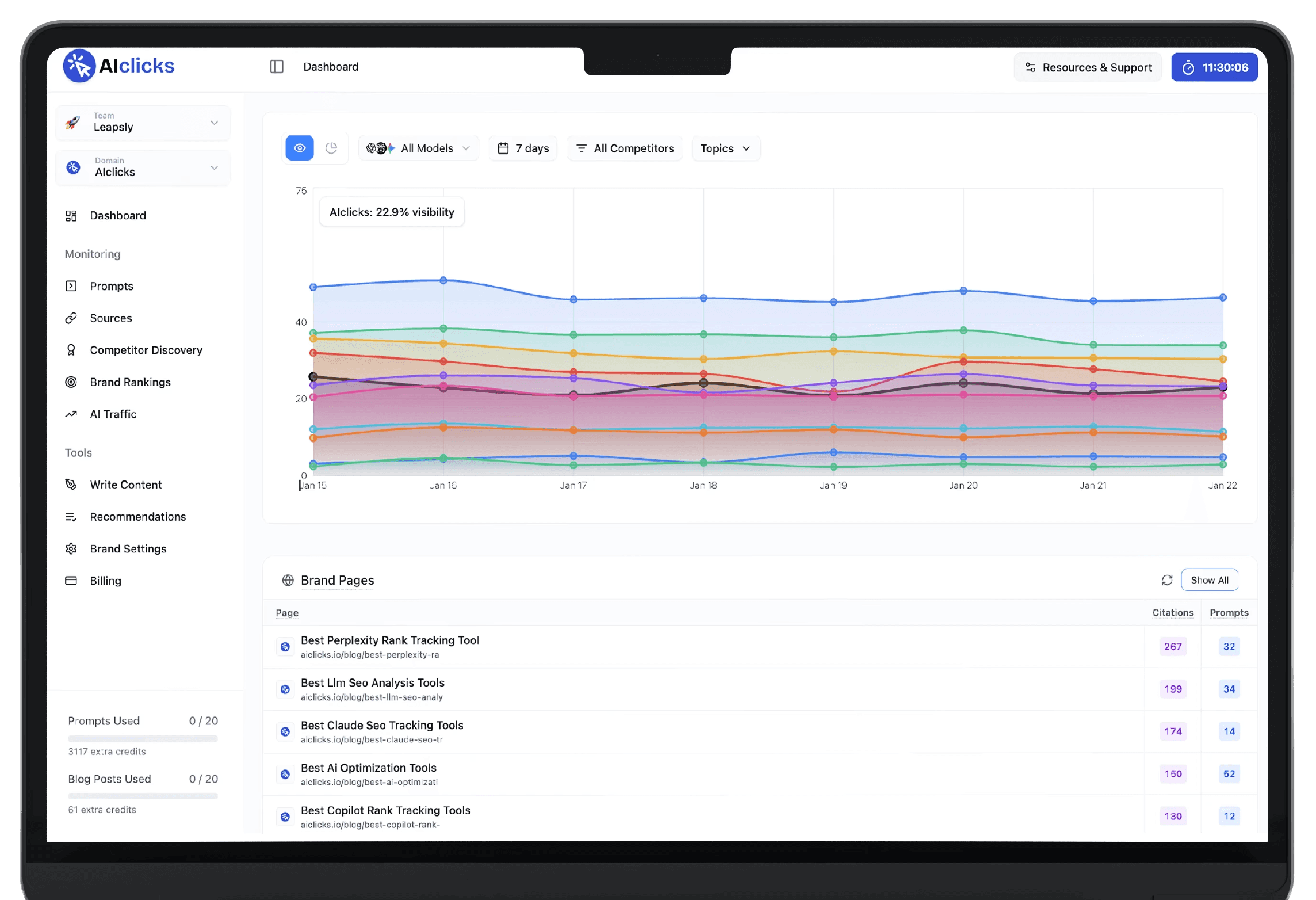
Clicky is an AI agent built into AIclicks. Ask why your visibility dropped, which competitor gained on you, or which sources cite them and never you, and get the answer with the table and chart behind it.
WORKS WITH ANY MCP CLIENT
CLAUDE
" height="16px" id="fvSweaOBo" transform="translate(1 0)" width="14px"/></svg>)
CLAUDE CODE
" height="16px" id="hHS98fTxZ" width="16px"/></svg>)
CURSOR
" height="15.360666565427872px" id="HZPvvPBv7" transform="translate(0 0.5)" width="16px"/></svg>)
YOUR OWN AGENT

What is it?
Every dashboard
Visibility, prompts, citations, sources, competitors, sentiment, ads and AI traffic
Zero estimates
Every figure comes from a live query against your own account
Your approval
Adds the prompt or competitor once you approve the card
Two ways in
Cmd+I on any page, or the full Agent view for longer work
Core capabilities
Clicky use cases
Six things Clicky does inside your account, from explaining a visibility drop to adding the prompts you're missing.
1
Ask Anything About Your Account
Query visibility, mentions, citations, competitors, topics or sentiment in simple language. Clicky runs it against your own data and answers with the table and chart behind the number it gives you.
2
Charts Inside The Answer
Clicky draws line, bar and comparison charts as part of its reply, laid out like a report. They stay attached to the answer when you reopen the chat later.
3
Reads Your Screen
Clicky picks up the page you're on, the exact start and end dates on screen, and your model and prompt filters. Switch to the Agent view and they follow you.
4
Add Prompts And Competitors
When an answer points to a gap, Clicky proposes the prompt or competitor as a card, already assigned to its topic. Approve it and the change is live.
5
Plan Mode Before It Runs
Turn Plan mode on and Clicky reads nothing yet. It sets out which figures it would pull, over which date range, and what to settle before you run it.
6
Expert Runs In One Click
Citation Shape Audit checks whether your pages are written to be quoted by an AI answer. Source Action Plan ranks the sources citing you and says where to act next.
FREE TOOL
Try out our feature using a free tool
How it works
How Clicky works?
Nothing to install and nothing to connect. Press Cmd+I and ask.
1

Open it where you are
Press Cmd+I on any page for a quick question, or use the Dashboard and Agent toggle in the sidebar for longer work. Both share one chat history.
2

Ask in simple language
Clicky reads your filters and date range, runs its queries across your account, then replies with the answer plus the table and chart it built from.
3

Approve what it proposes
When the fix is a prompt or competitor you aren't tracking, Clicky proposes it as a card. Nothing reaches your account until you accept the card.
Who it's for
Built for people who'd rather ask than filter
SEO Leads & Managers
01

Skip the filtering and go straight to the cause
Agencies & Consultants
02

Answer client questions without opening five tabs
Growth & Marketing Leaders
03

Read AI visibility without learning the dashboards
Why AIclicks
What makes Clicky different from a dashboard chatbot
Every figure comes from a live query against your own data, every answer arrives with the table behind it, and every change waits for your approval.
✓
Table and chart built into the reply
✓
✓
✓
✓
✓
✓
✓
FAQ
What is Clicky?
Clicky is an AI visibility agent built into AIclicks. It answers questions about your AI visibility using your own account data, and can add tracked prompts and competitors once you approve them.
Where do I find Clicky?
Press Cmd+I on any page to open the Clicky bubble. For longer work, use the Dashboard and Agent toggle at the top of the sidebar to open the full Agent view. Both share one chat history.
What can I ask Clicky?
Anything your dashboards cover: visibility, mentions, citations and sources, competitors, topics, sentiment, the model leaderboard, ChatGPT Ads, AI traffic and the articles you have published through AIclicks.
Where do its numbers come from?
Every figure comes from a live query against your own account. When Clicky cannot read a piece of data, it names what is missing and answers with the rest instead of estimating.
Can Clicky make changes in my account?
Yes, with your approval. Clicky can add a tracked prompt, add a competitor, note a source or create a brand to pitch. Each one appears as a card in the chat first, and nothing is written until you accept it.
What is Plan mode?
With Plan mode on, Clicky reads no data. It shows which figures it would pull and over which date range, so you can agree on the method first. Turn it off and send again to run it.
Do I need Google Analytics or Search Console connected?
Only for traffic questions. With GA4 connected, Clicky can answer how much traffic AI engines send you and which pages they land on. Search Console covers your Google search performance. If either is missing, Clicky shows a connect button in the chat.
Which plans include Clicky?
Clicky is included on every AIclicks plan. There's no add-on or separate seat to buy.