" width="14px"><path d="M 13.864 5.629 L 13.3 5.629 L 13.3 5.6 L 7 5.6 L 7 8.4 L 10.956 8.4 C 10.379 10.03 8.828 11.2 7 11.2 C 4.681 11.2 2.8 9.319 2.8 7 C 2.8 4.681 4.681 2.8 7 2.8 C 8.071 2.8 9.045 3.204 9.786 3.864 L 11.766 1.884 C 10.516 0.719 8.844 0 7 0 C 3.134 0 0 3.134 0 7 C 0 10.866 3.134 14 7 14 C 10.866 14 14 10.866 14 7 C 14 6.531 13.952 6.073 13.864 5.629 Z" fill="rgb(255, 193, 7)" height="14px" id="H_YjfTNpn" width="14px"/><path d="M 0 3.742 L 2.3 5.429 C 2.922 3.888 4.429 2.8 6.193 2.8 C 7.264 2.8 8.238 3.204 8.979 3.864 L 10.959 1.884 C 9.709 0.719 8.037 0 6.193 0 C 3.504 0 1.172 1.518 0 3.742 Z" fill="rgb(255, 61, 0)" height="5.428500000000002px" id="PlkthQDhg" transform="translate(0.875 0)" width="10.959199999999996px"/><path d="M 6.232 5.581 C 8.04 5.581 9.683 4.889 10.925 3.764 L 8.758 1.931 C 8.032 2.483 7.144 2.782 6.232 2.781 C 4.411 2.781 2.865 1.62 2.283 0 L 0 1.759 C 1.159 4.026 3.511 5.581 6.232 5.581 Z" fill="rgb(76, 175, 80)" height="5.581099999999999px" id="WlnJ5gngE" transform="translate(0.7 8.4)" width="10.924899999999994px"/><path d="M 6.864 0.029 L 6.3 0.029 L 6.3 0 L 0 0 L 0 2.8 L 3.956 2.8 C 3.68 3.576 3.183 4.254 2.526 4.75 L 2.527 4.749 L 4.693 6.582 C 4.54 6.722 7 4.9 7 1.4 C 7 0.931 6.952 0.473 6.864 0.029 Z" fill="rgb(25, 118, 210)" height="6.589883930775992px" id="x_rSW275p" transform="translate(7 5.6)" width="7px"/></g></svg>)


Reviewed by:
Matas Kibildis

Head of Growth @ AIclicks
Last updated:
Expert Verified

If you’re still treating Perplexity AI like “Google, but with paragraphs,” you’re leaving most of the value on the table.
Perplexity isn’t a list of blue links. It’s an AI-powered answer engine that runs live web search / real-time web search, synthesizes what it finds, and shows source citations so you can verify where each claim came from.
Below is a practical, step-by-step guide on how to use Perplexity AI for quick answers, deep research, fact checking, and even work like market research and competitive analysis, without getting fooled by shaky sources or vague prompts.
TL;DR: How to use Perplexity AI in 7 steps
Ask one clear question (don’t keyword-stuff like traditional search engines).
Pick the right mode (Web for general queries; Academic for papers).
Use Pro Search when the problem is messy or multi-factor.
Use Research mode when you need an evidence-backed deep dive.
Click the citations and verify sources before you trust or publish anything.
Ask follow-up questions in the same thread to refine, compare, and validate.
Save workflows in Spaces for repeatable tasks (team or solo).
What Perplexity is (and why it feels different than Google Search)
Google Search is brilliant at retrieval: you search, you scan, you click.
Perplexity is built for “search → synthesis → verification.” It answers questions conversationally, keeps context for follow-up queries, and includes citations so you can trace claims back to the original sources.
That’s the core shift vs traditional search engines:
You ask complete questions (normal language).
You get a structured answer with cited sources.
You can keep iterating until you hit the exact decision you need.
Key features you should actually use
1) Source transparency (your built-in BS detector)
Perplexity’s best feature is not the writing. It’s source transparency, answers include citations linking to originals, so you can verify and go deeper.
In the search interface, citations typically appear as small numbered markers (often like superscript numbers) that you can open to see sources.
How to use this well (seriously):
Open 2–3 citations for every important claim.
Prefer reputable sources (official docs, respected outlets, primary research).
If citations are weak, ask: “Use only primary sources and list limitations.”
This is the difference between “AI-generated content” that looks confident and research you can stand behind.
2) Threads and follow-ups (how you get reliable answers)
Perplexity uses Threads to keep context across messages, so you can ask follow-up questions without restating everything.
This is how you should work:
Start broad.
Narrow the scope.
Then force precision (“Define terms,” “Show assumptions,” “Compare options.”)
Most people never do the follow-ups, and then wonder why the output is “meh.”
3) Pro Search (for complex topics and decisions)
Pro Search is designed for nuanced questions and complex topics; it goes beyond basic keyword retrieval and synthesizes across a broader, higher-quality set of sources.
Use it when you’re doing:
Market analysis
Competitive analysis
Buying decisions (tradeoffs)
Anything with multiple constraints
If your question has the word “best,” “compare,” “strategy,” or “why,” you probably want Pro Search.
4) Research mode (for deep work, not just quick answers)
Research mode is Perplexity’s “do the heavy lifting for me” feature: it conducts in-depth research and analysis for you.
Use it for:
Academic research
Literature reviews
Long-form briefs and reports
Complex questions with lots of moving parts
One important detail: Research mode automatically selects models for you, so you can’t manually pick a specific one inside that mode.
5) Academic focus (when you need academic papers, not vibes)
Perplexity supports an academic focus/Academic mode (often called Focus: Academic) that targets scholarly sources, including peer-reviewed papers, journal articles, and reputable academic publications.
When you need academic publications, scientific journals, or academic papers, flip to Academic and ask for:
key points
methods/sample size
limitations
consensus vs disagreement
This is how you keep “research” from becoming a pile of blog opinions.
6) Spaces (for repeatable workflows and teams)
Spaces let you organize work, set custom instructions, and collaborate with others as “research partners.”
Think of Spaces like: “My templates and rules for this project.”
Examples:
“Weekly competitor monitoring”
“Customer discovery + user research”
“Content creation that matches brand tone”
“Lesson plans and learning modules”
7) API credits and paid plans (what matters, practically)
If you’re a developer or you want automations, Perplexity also offers an API (separate from the app experience). The official docs list Search API pricing (e.g., priced per request).
If you’re on Perplexity Pro, Perplexity notes you receive $5 in monthly API credits (credited on the first day of each month).
And yes, Perplexity has multiple subscription tiers (Standard/Free, Pro, Max, Education Pro).
Step-by-step: how to use Perplexity AI for real work
Step 1: Ask better prompts (stop “searching,” start briefing)
Perplexity is strongest when your prompt includes:
the decision you’re trying to make
constraints
what “good” looks like
what to cite
Better prompts example (market research):
“I’m researching [category] in Germany. Give me a concise overview of market size, growth drivers, and top 5 competitors. Include cited sources for every number, and list any uncertainty.”
That prompt naturally pushes for data, cited sources, and factual accuracy rather than a generic summary.
Step 2: Choose the right mode for the job
Use this quick mapping:
Web: most general queries, trends, explainers, “what’s going on?”
Academic: academic research, academic papers, peer-reviewed sources
Pro Search: tradeoffs, comparisons, multi-source synthesis
Research mode: deep analysis + structured synthesis
If you want up-to-date answers, Web and Pro Search is often the sweet spot (because it’s built around live retrieval and synthesis).
Step 3: Force source quality (don’t accept random blogs)
If your output matters (client work, strategy, publishing), add one line:
“Use only reputable sources (official docs, major publications, or primary research). Avoid SEO blogs. Show sources for key points.”
Then click citations. Always.
This is how you prevent pretty output from becoming wrong output.
Step 4: Use follow-ups to get precision
In the same thread, ask:
“Which claim is most uncertain? Why?”
“What would change your conclusion?”
“Give me the 3 strongest sources and summarize each.”
“Compare 2 opposing viewpoints and cite both.”
Threads are designed to keep the conversation flowing with context.
This is where Perplexity excels: iterative refinement until the answer fits your exact need.
Step 5: Turn answers into assets (content, dashboards, briefs)
Perplexity is great at turning messy research into structured outputs:
a concise overview for execs
a bullet brief for stakeholders
content outlines for articles
QA lists and checklists
For content generation, it’s best when you feed it constraints:
“Match this tone”
“Use only verified facts”
“Add a short FAQ”
“Include counterpoints”
Just remember: anything you publish still needs human review and source verification.
High-impact use cases (with prompts you can steal)
1) User research (fast synthesis, not replacements for interviews)
User research prompt:
“Summarize the top pain points and desired outcomes for [persona] buying [product]. Use sources like reviews, forums, and reputable publications. Give me 10 user questions they ask, and the language they use.”
Then ask follow-ups:
“Which pains are most frequent?”
“What objections come up before purchase?”
2) Market research + competitive analysis
Competitive analysis prompt:
“Compare [Competitor A] vs [Competitor B] for [use case]. Include pricing, target market, positioning, and key differentiators. Cite source material for each claim, and flag anything uncertain.”
This works well with Pro Search because it synthesizes across sources more thoroughly.
3) Academic research and literature reviews
Literature reviews prompt (Academic mode):
“In Academic focus, find 8–12 academic publications from the last 5 years on [topic]. Summarize key points, methods, and limitations. Prioritize peer-reviewed journals and scientific journals. Output as: citation + findings + caveats.”
Academic mode is explicitly designed to prioritize scholarly sources.
4) Fact-checking (especially for trending topics)
Fact-checking prompt:
“Verify these claims: [paste claims]. For each, say True/False/Unclear, provide supporting citations, and explain the reasoning. If sources disagree, summarize both sides.”
Perplexity’s citation-first workflow is meant to make verification easier.
5) Lesson plans (structured learning in minutes)
Lesson plans prompt:
“Create a 45-minute lesson plan on [topic] for [level]. Include objectives, a short lecture outline, an activity, and 5 quiz questions. Add 5 reputable sources for further reading.”
6) Sensitive topics (like mental health): use with care
Perplexity can help you find reputable sources on sensitive topics (including mental health), but it’s not a clinician.
Use prompts like:
“Provide an evidence-based overview of [topic] using reputable medical institutions and peer-reviewed research. Include crisis resources and clearly state limitations.”
And if it’s personal or urgent: treat it as research support, not diagnosis, and involve a qualified professional.
A simple workflow that produces better results every time
Start with a specific question
Switch mode (Web / Academic / Pro Search / Research mode)
Demand citations for key points
Verify sources (open the links)
Iterate with follow-ups until you have a solid foundation
Create the final output (brief, article, checklist, plan)
That loop is what turns Perplexity from “cool search toy” into a serious research tool.
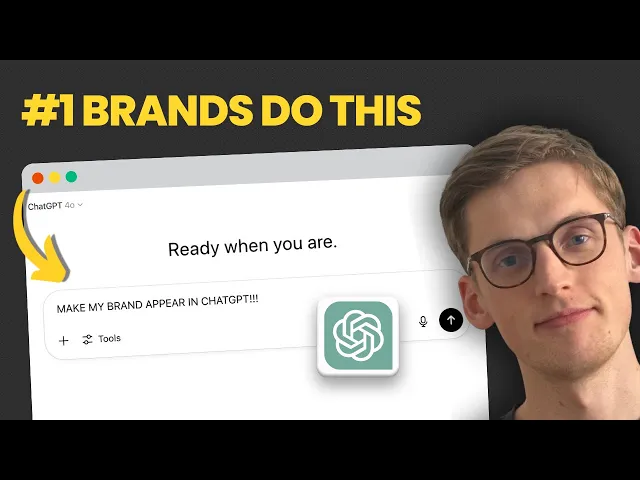
Check out this video where we share the exact strategy that took AIclicks from zero to #5 in AI visibility rankings in just 90 days:
Where AIclicks fits (and why it matters if you care about visibility in Perplexity)
Perplexity is becoming a discovery channel. People ask what to buy, which tools to trust, and which brands to choose, often without ever clicking Google.
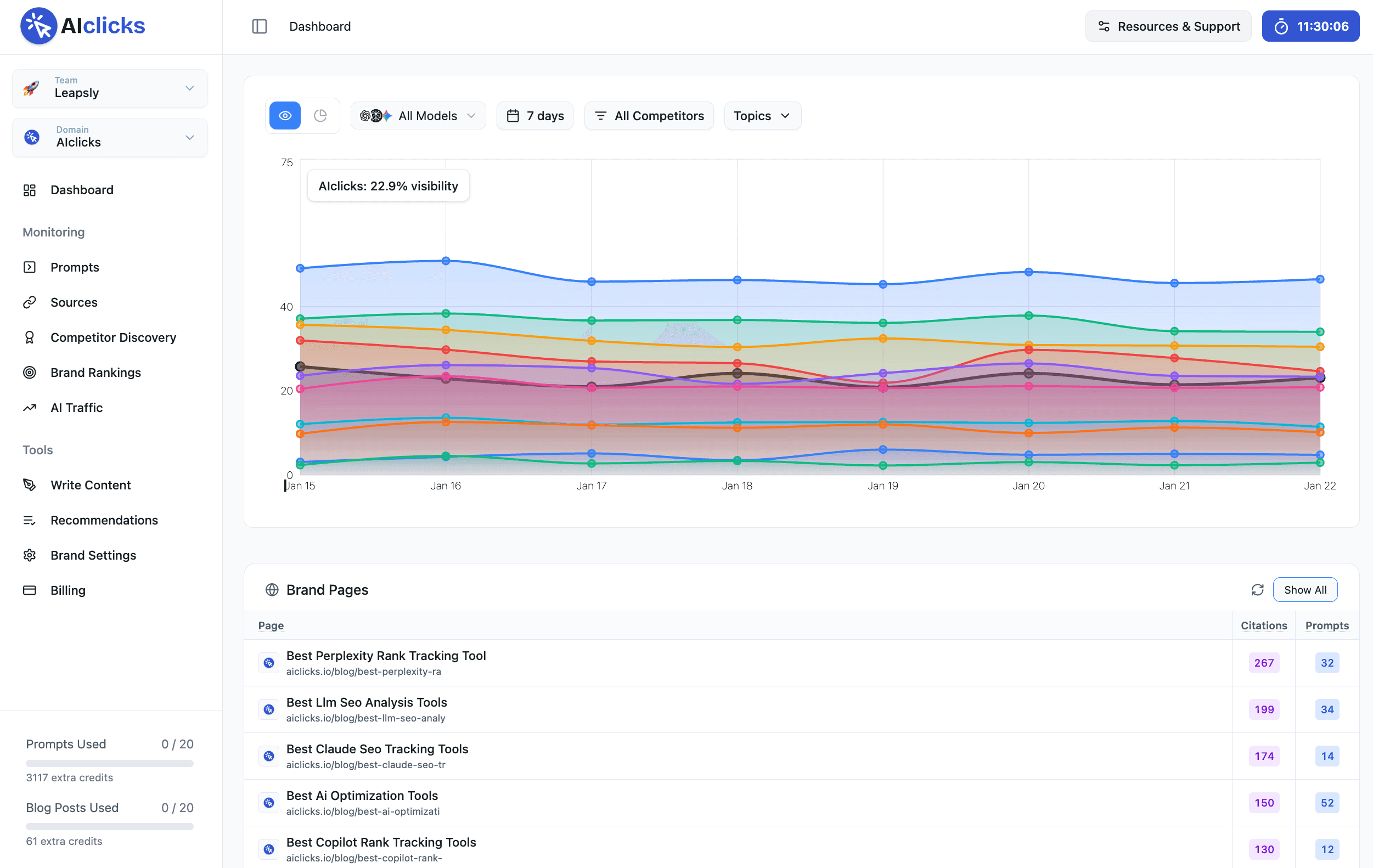
That’s exactly why AIclicks exists.
AIclicks positions itself as an AI search visibility tool that helps you understand what buyers ask across AI tools like ChatGPT, Perplexity, and Gemini, then use a tool like Gemini visibility tracker track whether your brand shows up in the answers.
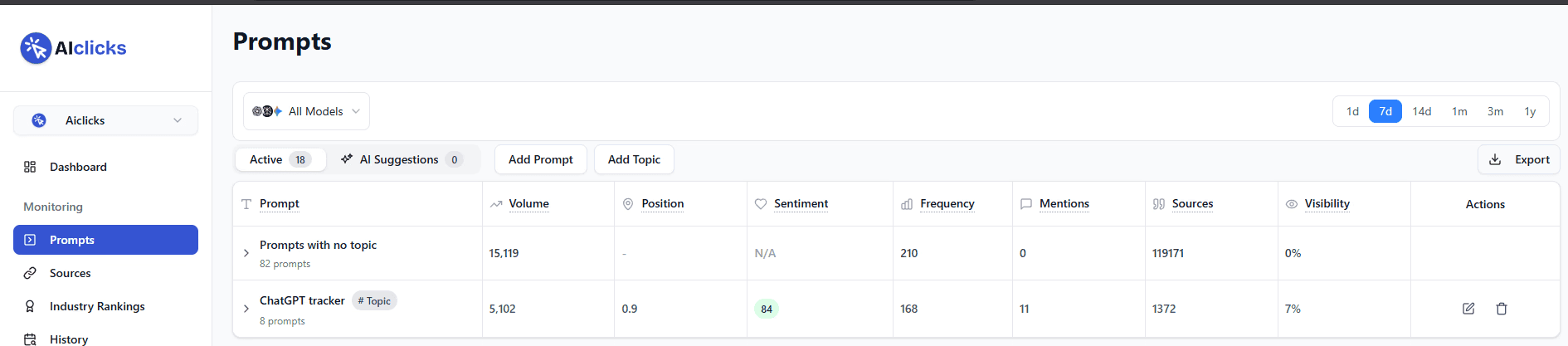
In practice, AIclicks helps with:
discovering real prompts people ask AI engines
monitoring prompt-level visibility and citations (including competitor comparisons)
turning that into an ongoing workflow (weekly monitoring, monthly audits)
If your goal is “rank inside AI answers,” Perplexity helps you do the research, and AIclicks helps you track visibility in Perplexity, and other LLMs, and measure whether you're winning.
And when the tracking exposes gaps you don't have time to close yourself, our Perplexity optimization services handle that side of the loop.
Common mistakes (and how to avoid them)
Mistake #1: Treating it like Google.
Perplexity rewards natural questions + constraints, not keyword piles.
Mistake #2: Trusting the first answer.
Click citations. Ask follow-ups. Use Academic mode for research.
Mistake #3: Using the wrong mode.
Pro Search for comparisons. Research mode for depth. Academic papers.
Mistake #4: Copy/pasting AI output as “done.”
Use it to accelerate thinking, drafts, and synthesis, but always review for accuracy and source quality.
Let Perplexity do the digging, you do the deciding
Perplexity AI is most powerful when you stop treating it like Google and start using it as a citation-first research partner. Pick the right mode (Web, Academic, Pro Search, or Research mode), ask better prompts, and always verify sources before you trust or publish the output. And if you want to go beyond “getting answers” to actually measuring whether your brand shows up inside AI answers, AIclicks helps you track visibility and turn those insights into an actionable growth loop.
Our Content:




Any questions left?
Book a call here: